The Multisample engine is the part of Serum 2 that people forget is there. It turns any oscillator into a sampled instrument: a grand piano, a Rhodes, a string section, a choir, mapped across the keyboard with velocity layers. And it sits in the same signal path as the wavetables, so you can filter it, warp it, and stack unison on it.
Here is what it does, what ships with it, and how I use it in presets.
What a Multisample Is
A sample is one recording stretched across the keyboard. A multisample is many recordings, one for every few keys and often several per key for different velocities, so the instrument sounds right everywhere. The mapping is described in an SFZ file, a plain text format that tells the engine which recording to play for which note and how hard it was hit.
Serum 2 reads SFZ files directly. It does not read SF2 SoundFonts, but there are free converters, and the SFZ format itself is open.
Loading a Factory Instrument
Click WAVETABLE in the OSC A header and choose Multisample. The display goes empty. Click the dropdown under the header and pick an instrument. The factory set is organized into Bass, Choir, Drums, Keys, Mallet, Plucked, Strings, Synth and Winds.
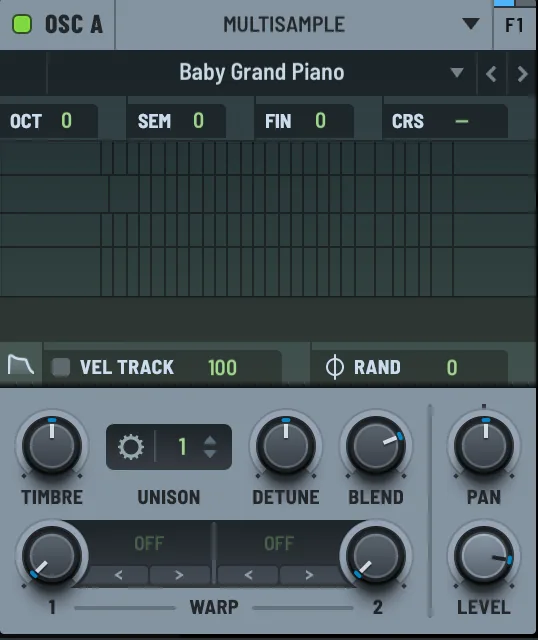
The Keys folder alone has a grand piano in two sizes, an upright, a suitcase electric piano, a Wurlitzer-style piano, a clav and a Pianet. The lighter LE versions load faster and use less memory, and for most tracks the difference is inaudible.
After loading, the display shows the sample zones. Play a note and the zone that answered lights up. Click in the display to see the waveform of the last note you played.
The Controls That Are Different
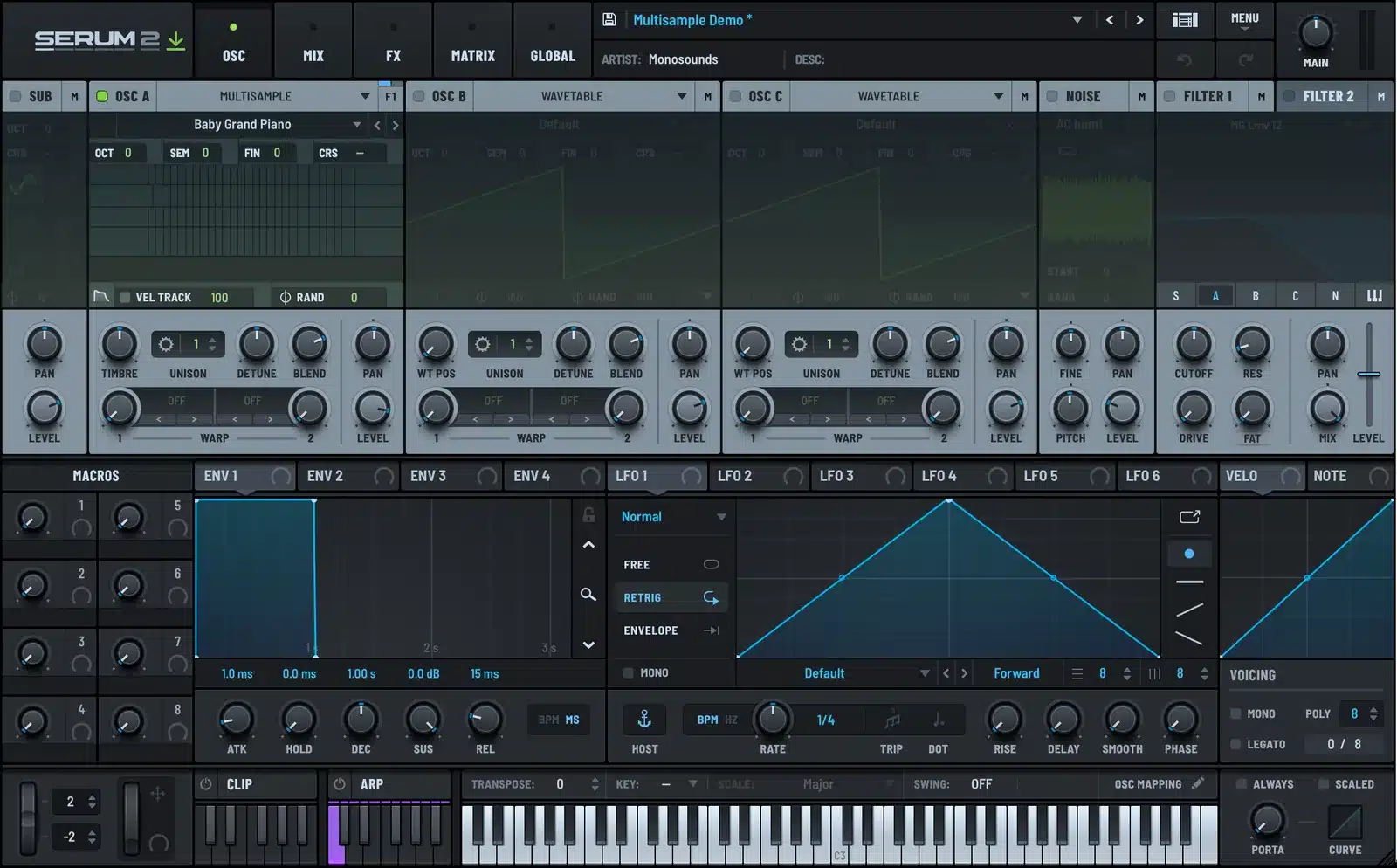
TIMBRE replaces WT POS. It shifts which zone plays for a given note, in semitones, without changing the pitch. Turn it up and a piano note is played by a sample recorded lower and pitched up, which gives the stretched, slightly synthetic tone of old samplers. Small amounts are a nice way to make a factory piano sound less like a factory piano.
VEL TRACK sets how much velocity changes the level, and RAND adds random variation so repeated notes are not identical. Both are in the small strip under the display.
Envelope override. SFZ files carry their own amplitude envelopes, per note or per group. By default Serum 2 uses them. Click the envelope button under the display and press OVERRIDE, and the engine’s own DELAY, ATTACK, HOLD, DECAY, SUSTAIN and RELEASE knobs take over. This is how you turn a piano into a pad: long attack, long release, done.
Unison, warp, pan and level are the same as on the wavetable engine, including the unison panel with detune modes, stack and width. Unison on a string multisample is a quick section sound.
Loading Your Own Instruments
Choose Load SFZ from the instrument dropdown and point it at any SFZ file. The recordings it references need to be where the file says they are, usually in a folder next to it. Instruments made for other SFZ players generally load fine. Serum 2 reads the core of the format: key and velocity mapping, groups, and the standard envelope opcodes.
To make them appear in the dropdown permanently, put the SFZ and its samples in the Multisamples folder inside the Serum 2 Presets folder, then choose Rescan Folders on Disk from the main menu. The preset folder guide shows where that folder is on Mac and Windows.
How I Use It in Presets
Piano plus synth. Grand piano on OSC A, a soft saw with 5 unison voices on OSC B at a low level, both into a gentle low-pass. The synth fills the space under the piano and the result sounds bigger than either alone. Most of the keys in my packs are built like this.
Filtered strings. A string multisample into MG Low 24 with ENV 2 opening the filter slowly. It reads as a synth string but keeps the bow noise and vibrato of the recording.
Choir pad. Choir multisample, envelope override with a two-second attack, 7 unison voices with low detune, chorus and a Hall reverb on a bus. Done in three minutes, and it beats most dedicated choir libraries for a pad part.
Warped e-piano. Suitcase e-piano with the Sync warp at a small amount and ENV 2 on the warp knob. The tone gets a bite at the start of each note that the recording never had. The electric piano guide has the full patch.
Multisample Versus Sample Versus Spectral
| Engine | Pitch handling | Best for |
|---|---|---|
| Sample | One recording, pitched up and down | Chops, hits, single-note textures |
| Multisample | Many recordings mapped by key and velocity | Real instruments played across the keyboard |
| Spectral | One recording, re-pitched while keeping its spectrum | Vocals and instruments where the timbre must not shift |
The oscillator types guide compares all five engines if you want the full picture.
The free Serum 2 preset pack has two piano presets built on the Multisample engine with a synth layer underneath, and the piano packs in the Serum 2 presets catalog use the same approach at scale. They are included in the bundles.
FAQ
What instruments come with Serum 2?
The factory multisample library includes grand and upright pianos, electric pianos, a clav, strings, choir, brass and woodwinds, mallets, plucked instruments, drums and synth sources, all in SFZ format.
Can Serum 2 load SoundFonts?
Not directly. Serum 2 reads SFZ, not SF2. Free converters exist and the results load normally.
Where do I put my own multisamples?
In the Multisamples folder inside the Serum 2 Presets folder, then choose Rescan Folders on Disk from the main menu. Or use Load SFZ from the instrument dropdown to open a file from anywhere.
Why does my multisample sound different on different keys?
That is the point. Each zone is a separate recording. If the change is too abrupt, use the TIMBRE control to shift the zones, or check that the SFZ maps every key.
Can I use the filter and effects on a multisample?
Yes. A multisample oscillator goes through the same filters, envelopes, LFOs, unison and FX racks as a wavetable.

I run Monosounds.studio and make the packs myself. Ten-plus years of producing, 97+ releases, 16,000+ downloads. Every Serum 2 preset we ship passes a CPU check on a mid-range laptop and gets used in a real track before release. If it does not survive a mix, it does not go in the pack.
More about Maxim & the studio →

