Serum 2 stores everything in one parent folder called Serum 2 Presets. On Mac it is ~/Library/Audio/Presets/Xfer Records/Serum 2 Presets, on Windows C:\Users\YOU\Documents\Xfer\Serum 2 Presets, and your own patches and third-party packs go in its Presets/User subfolder. The fastest way there is the Menu tab inside Serum 2, which opens the folder on disk for you.
Time to settle it for good. This guide gives you the exact default paths for Mac and Windows, shows how to relocate the whole library to another drive, and explains why presets seem to vanish after updates.
I run Monosounds.studio, and we’ve been shipping Serum packs since 2022. No support topic comes up more than folder paths. What follows is everything I tell people, gathered in one place.
Where Serum 2 Presets Are Stored: Default Paths on Mac and Windows
Serum 2 gathers all user content under a single parent folder named Serum 2 Presets. Presets, wavetables, noises, samples – all of it sits in subfolders beneath that one folder. Once you know where it lives, every install problem turns simple.
The default paths:
| Content | Windows | Mac |
|---|---|---|
| Main library | C:\Users\YOU\Documents\Xfer\Serum 2 Presets |
~/Library/Audio/Presets/Xfer Records/Serum 2 Presets |
| Your presets | ...\Presets\User |
.../Presets/User |
| Wavetables | ...\Tables\User |
.../Tables/User |
| Noises | ...\Noises\User |
.../Noises/User |
| Samples | ...\Samples |
.../Samples |
Two traps deserve a mention. On Mac, ~/Library stays hidden by default. Press Cmd+Shift+G in Finder and paste the path, or hold Option while opening the Go menu and Library shows itself.
On Windows, the trap is OneDrive. When it syncs your Documents folder, the real path shifts to C:\Users\YOU\OneDrive\Documents\Xfer\Serum 2 Presets. People drop packs into the non-OneDrive Documents folder and can’t figure out why nothing appears. I’ve watched this exact scenario play out dozens of times.
The Fastest Way to Find the Folder
Skip the hunt through Explorer or Finder entirely. Open Serum 2, click over to the Menu tab, and use the option that reveals the presets folder on disk. It jumps straight to the Serum 2 preset folder, custom location or not. I use it daily and haven’t typed the path manually in months.
The same Menu tab holds Import Preset Pack, which takes .SerumPack files and files everything into the right spots automatically. If your pack arrived in that format, use it and forget manual copying. Both methods get the step-by-step treatment in our full Serum 2 preset install guide.
For loose preset files the rule stays short: they belong in Presets/User, and subfolders work fine. Every patch in our Serum 2 preset bundles comes in a named subfolder, so you drop the whole folder into User and the browser mirrors the structure. If your User folder has already descended into chaos, here’s how I’d organize it before things get worse.
How to Move the Serum 2 Presets Folder to Another Drive
Nothing forces the library onto your system drive. That matters more now than it used to, because Serum 2 presets can reference samples and multisamples, and a large library eats genuine disk space.
My studio machine keeps its library on a second SSD. This is the move that has never once failed me:
- Quit your DAW completely. The files can’t be in use while they move.
- Copy the whole
Serum 2 Presetsfolder to its new home, sayD:\Serum 2 Presets. Copy rather than cut – you want the fallback. - Rename the original to
Serum 2 Presets_OLD. - Open Serum 2. Unable to locate the library, it asks you to point at the folder. Point it at the new drive.
- Load several patches that lean on samples or noises and confirm everything survived.
- Give it a week of normal use, then delete the _OLD folder.
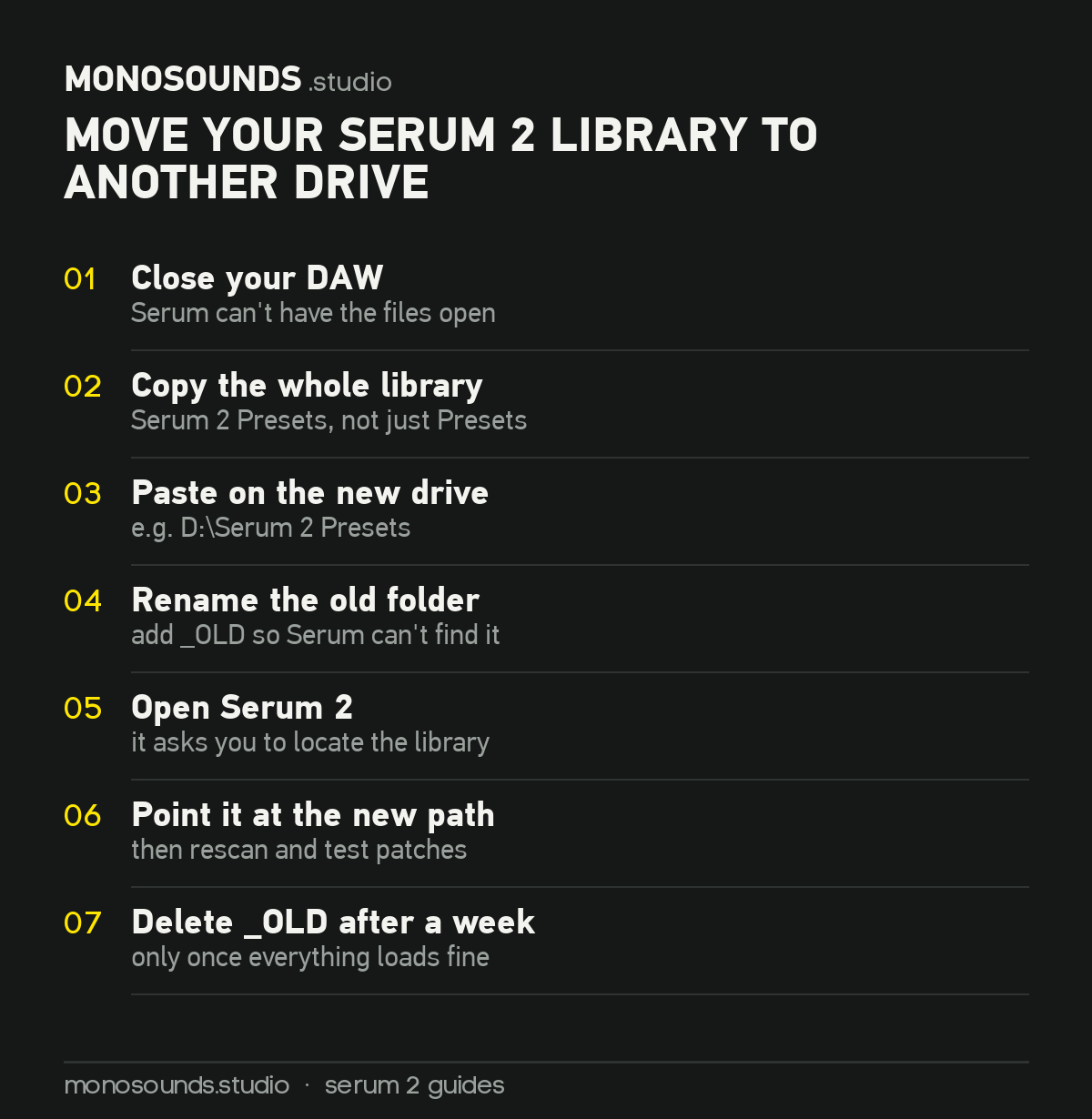
Done. Your DAW projects couldn’t care less where the Serum 2 preset folder sits, because a patch gets saved inside the project file itself – the library only feeds the browser.
One caveat for external drives: mount the drive before opening a project. And on Windows, a USB drive that drifts from E: to F: breaks the path. Going this route, assign it a permanent letter in Disk Management.
Backing Up Before an OS Reinstall
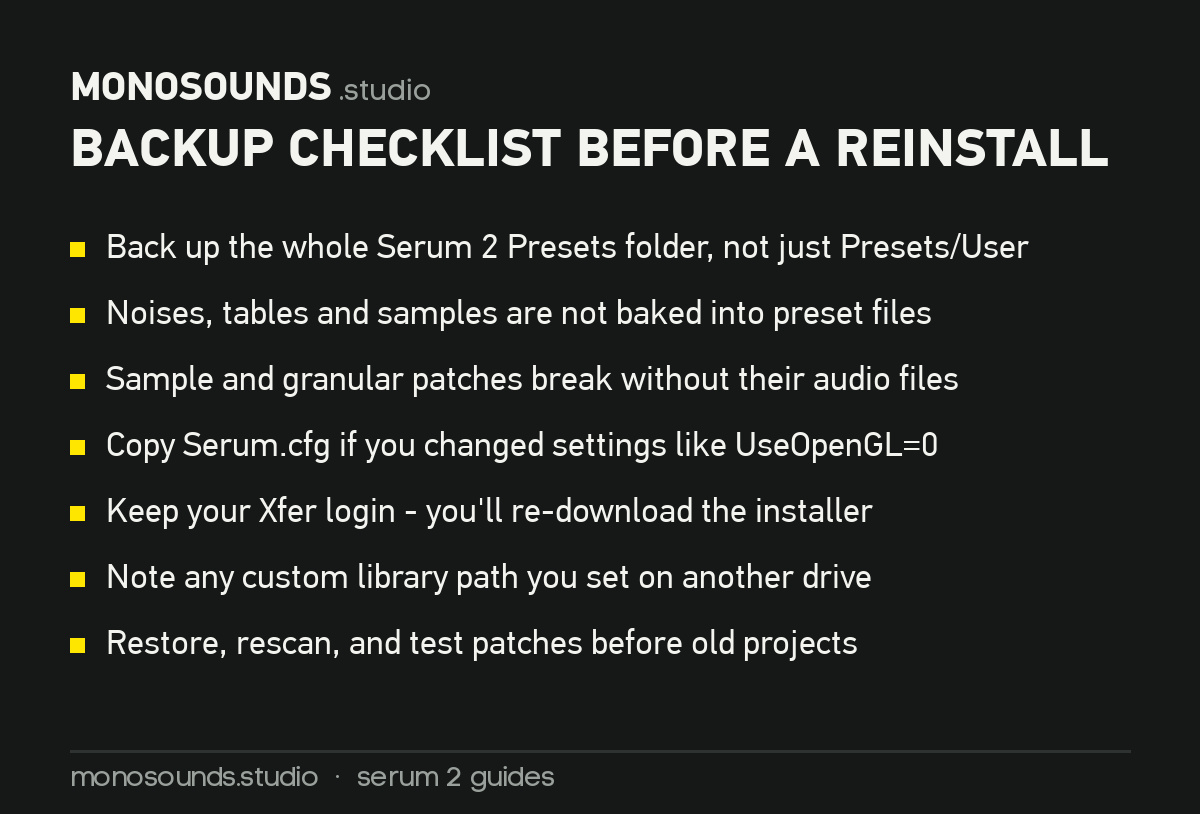
Here’s the mistake I personally made in 2023, back on Serum 1: I backed up Presets/User and nothing beyond it. Post-reinstall, half my patches opened with missing noises, because noise files live in their own folder and never get baked into the preset.
Serum 2 raises those stakes. Patches built on the Sample, Multisample, or Granular engines point at audio files. Save only the preset files and those patches return silent or broken.
So the rule fits in one line: back up the entire Serum 2 Presets folder, from the top level down. Zip it, drop it on a cloud drive or an external disk, finished. My current library zips down to roughly 4 GB – small enough for any cloud plan, large enough that rebuilding it from nothing would hurt.
Grab Serum.cfg too if you’ve changed settings like UseOpenGL=0, and keep your Xfer Records login within reach. Serum 2 came as a free upgrade for Serum 1 owners, and the installer re-downloads from your account. Should anything go sideways, Xfer’s support page handles reinstall and authorization questions.
Presets Folder Not Found, or Presets Missing After an Update
This one triggers genuine panic, so the headline goes first: your files are almost certainly still there. Every single time someone writes in claiming an update deleted their presets, the folder on disk turns out to be intact.
What really happened is one of three things.
The browser database needs a rescan
Serum 2’s browser works from a scanned index, not directly from disk. Following an update, or after files get added while the plugin sits open, that index can fall behind. Head to the Menu tab and rescan the folders on disk. This resolves the majority of missing-preset reports we receive. My Serum 2 preset browser guide shows where that option lives, along with search, tags and ratings.
The custom path got reset
Now and then an update or fresh plugin install snaps back to the default location. If your library lives on another drive and you suddenly see nothing but factory content, Serum is simply staring at the wrong folder. Point it back at your custom location and it all comes back.
The files went into the wrong subfolder
Wavetables sitting in Presets, presets sitting in Tables – the browser filters by content type, so misfiled material stays invisible even while it’s right there on disk. This trips up people hand-migrating old Serum 1 folders. The upside: Serum 1 presets are compatible with Serum 2, so once they land in Presets/User, they simply work.
Incidentally, if you’re rebuilding a library after a cleanup, it’s a natural moment to restock. Our free pack with 271 Serum 2 presets ships as a proper pack with its own subfolder, so it lands cleanly in User – covering bass, leads, keys, plucks, atmospheres and 808s. There’s also a bigger roundup of free Serum 2 preset sources for going wider, and a separate list of our favorite bass patches if low end is your priority.
FAQ: Serum 2 Preset Folder Questions
Where is the Serum 2 preset folder on Mac?
At ~/Library/Audio/Presets/Xfer Records/Serum 2 Presets. That’s the Library in your user account, not the system one at the root of the drive. Finder hides it, so hit Cmd+Shift+G and paste the path.
Can I use my Serum 1 presets in Serum 2?
Yes. Serum 1 presets open in Serum 2 with no conversion. Move them into Presets/User inside the Serum 2 library, rescan, and they appear. Old custom wavetables migrate the same way, into Tables/User.
Why can’t Serum 2 see presets I just added?
Nearly always a rescan issue. Serum indexes the folder instead of reading it live, so fire a rescan from the Menu tab. If that doesn’t do it, verify the files really sit inside Presets/User – and on Windows, check whether OneDrive quietly redirected your Documents folder.
Can I keep my library on an external drive?
Yes, and for large sample-heavy libraries I’d actively recommend it. Just connect the drive before loading projects, and on Windows give it a fixed drive letter. If Serum loses track of the library, it prompts you to locate the folder again.
And that’s the entire map. One parent folder, a handful of subfolders, and a rescan button that defuses most emergencies.
Want something worth filling that folder with? Take our free 271 Serum 2 presets – no strings attached. Install the pack, load a few patches, and pull them apart to see how they’re made.

I run Monosounds.studio and make the packs myself. Ten-plus years of producing, 97+ releases, 16,000+ downloads. Every Serum 2 preset we ship passes a CPU check on a mid-range laptop and gets used in a real track before release. If it does not survive a mix, it does not go in the pack.
More about Maxim & the studio →Looking for the packs themselves? Here is all my Serum 2 preset packs — sorted by genre and by sound, with a demo on every one.


