Logic Pro loads Serum 2 as an Audio Unit: install it, open Logic, wait out the validation pass, and it shows up next to your other AU instruments. Nine times out of ten that really is the whole story.
When it doesn’t go that smoothly, the answer is almost always inside Logic’s Plugin Manager. And once the synth is loading fine, Logic has a few habits that pay off if you set them up right. Here’s all of it.
Install and first launch
- Run the Serum 2 installer with the AU component ticked. The VST3 lands on disk too, but Logic ignores everything except AU.
- Open Logic. It validates new plugins during startup, so give it a moment to finish.
- Add a software instrument track and pick Serum 2 from the AU instruments list.
- Play something. Hear sound? Then skip straight past the next section.
If Logic doesn’t see it
Head into Logic’s Plugin Manager, locate Serum 2, and run reset and rescan on that entry. That wipes a failed validation, which is what usually breaks right after an install or a macOS update.
There’s a sneakier one on newer Macs: Logic running under Rosetta while the plugin runs native, or the other way around. Host and plugin have to be in the same mode. I walked through checking and fixing that in Serum 2 on Apple Silicon.
Where presets live on a Mac
Serum 2 stores its preset library in its own User folder, so manage sounds from Serum’s browser rather than Logic’s patch library. Logic patches capture channel strips, which is a separate layer entirely; save sounds only as Logic patches and they never leave Logic.
The full paths plus the drag-and-drop install routine are in Serum 2 preset folder location. And if your User folder is sitting empty right now, our free Serum 2 presets fill it fast and double as a test that the browser picks up new packs.
Smart Controls on Serum’s macros
Logic’s Smart Controls put a small panel of knobs on every track. Map them to Serum 2’s eight macros and you’re turning controls the preset maker already scaled, without ever opening the plugin window.
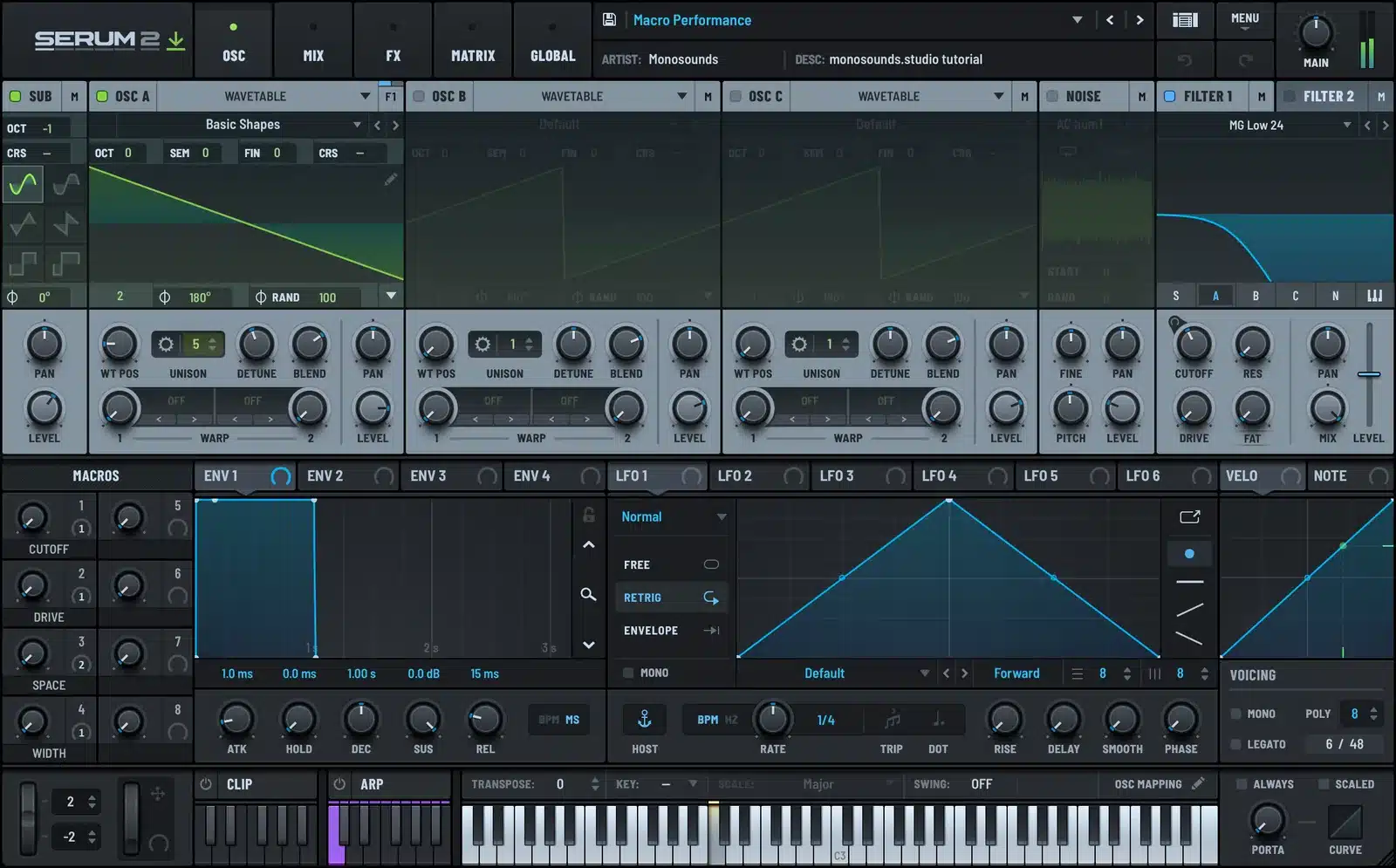
The payoff: Smart Controls automate straight from the track header and take a hardware mapping in seconds. And because preset designers keep macros inside musical ranges, the knobs stay polite. You won’t sweep a filter into silence halfway through a take.
Track Stacks for layered sounds
Want a thick lead? Build two or three software instrument tracks, load a different Serum 2 preset on each, and collect them into a Summing Stack. One MIDI region on the stack track drives every layer, and the combined sound gets a single fader plus a single FX chain.
The old layering rule still holds: give the low end to exactly one layer and high-pass everything else. Stack two full-range presets and what you get is mud.
Freeze, the Logic way
Most people never notice that Logic’s freeze has two modes. Source-only renders just the instrument and leaves your plugin effects live and editable; pre-fader renders the entire chain. On Serum 2 tracks you nearly always want source-only. It’s the synth eating the CPU, not the EQ.
And freeze heavy tracks the moment a part is written. Don’t wait for the project to start glitching.
Two Logic settings worth checking
Buffer size sits in Logic’s audio preferences. Track at 128 samples, mix at 512 or 1024. Latency only matters while you’re actually playing parts in, so push the buffer up as soon as tracking wraps.
For recording over an already-heavy session, Logic’s low latency mode temporarily sidesteps the worst latency offenders so you’re not stuck rebalancing buffers. Flip it on for the take, off afterwards. Between that and source-only freeze, CPU stops being an excuse to avoid big Serum 2 patches.
Growing past the starter sounds
Logic comes loaded with stock content, but Serum-native presets are the reason to own the synth in the first place. When the free packs start feeling thin, the Serum 2 preset bundles give you the best price per preset if building a deep library in one purchase appeals more than collecting pack by pack.
FAQ
Does Serum 2 work in Logic Pro?
Yes, as an Audio Unit. Install with the AU box ticked and Logic validates it on the next launch.
Serum 2 failed validation in Logic. What now?
Open Plugin Manager and hit reset and rescan on it. Still failing? Confirm Logic and the plugin match modes, both native or both under Rosetta.
Should I save sounds as Logic patches or Serum presets?
Serum presets. They follow you into any DAW and appear in Serum’s own browser. Logic patches work as a bonus layer for channel strip settings. Everything in our Serum 2 preset packs installs the same way, so a Logic setup and an Ableton setup can share a single library.
Which freeze mode should I use for Serum 2 tracks?
Source-only. The synth gets rendered, your effects stay editable, and that’s the trade you want most of the time.
Once the AU validates and your presets live in Serum’s browser, Logic and Serum 2 get along very well. Map Smart Controls once, freeze early, and the pairing stays comfortable even when sessions get big.

I run Monosounds.studio and make the packs myself. Ten-plus years of producing, 97+ releases, 16,000+ downloads. Every Serum 2 preset we ship passes a CPU check on a mid-range laptop and gets used in a real track before release. If it does not survive a mix, it does not go in the pack.
More about Maxim & the studio →

