Loading Serum 2 into Ableton Live takes no time: install the VST3, confirm Live’s VST3 folder is switched on in preferences, rescan, finished. What’s actually worth your reading time is everything after: racks, macros, and the freeze habit that keeps a Live session breathing.
Black Friday · until Nov 3014 packs for $9- Black Friday Pack, 14 packs
$296$9 - Duovox synth plug-in
$59$19 - All 86 packs in the shop
$1,651$49
Install and make Live see it
- Run the Serum 2 installer and accept the default VST3 location.
- Open Live’s plug-ins preferences and check that VST3 support is on.
- Rescan. Serum 2 shows up in the browser under Plug-Ins.
- Put it on a MIDI track and play a note to make sure sound comes out.
Not appearing? Resist the urge to reinstall five times — the culprit is almost always the folder toggle or a stale scan cache. Hold the deep-scan option while rescanning, and make sure you haven’t confused the VST2 and VST3 folders.
Put Serum 2 in an Instrument Rack immediately
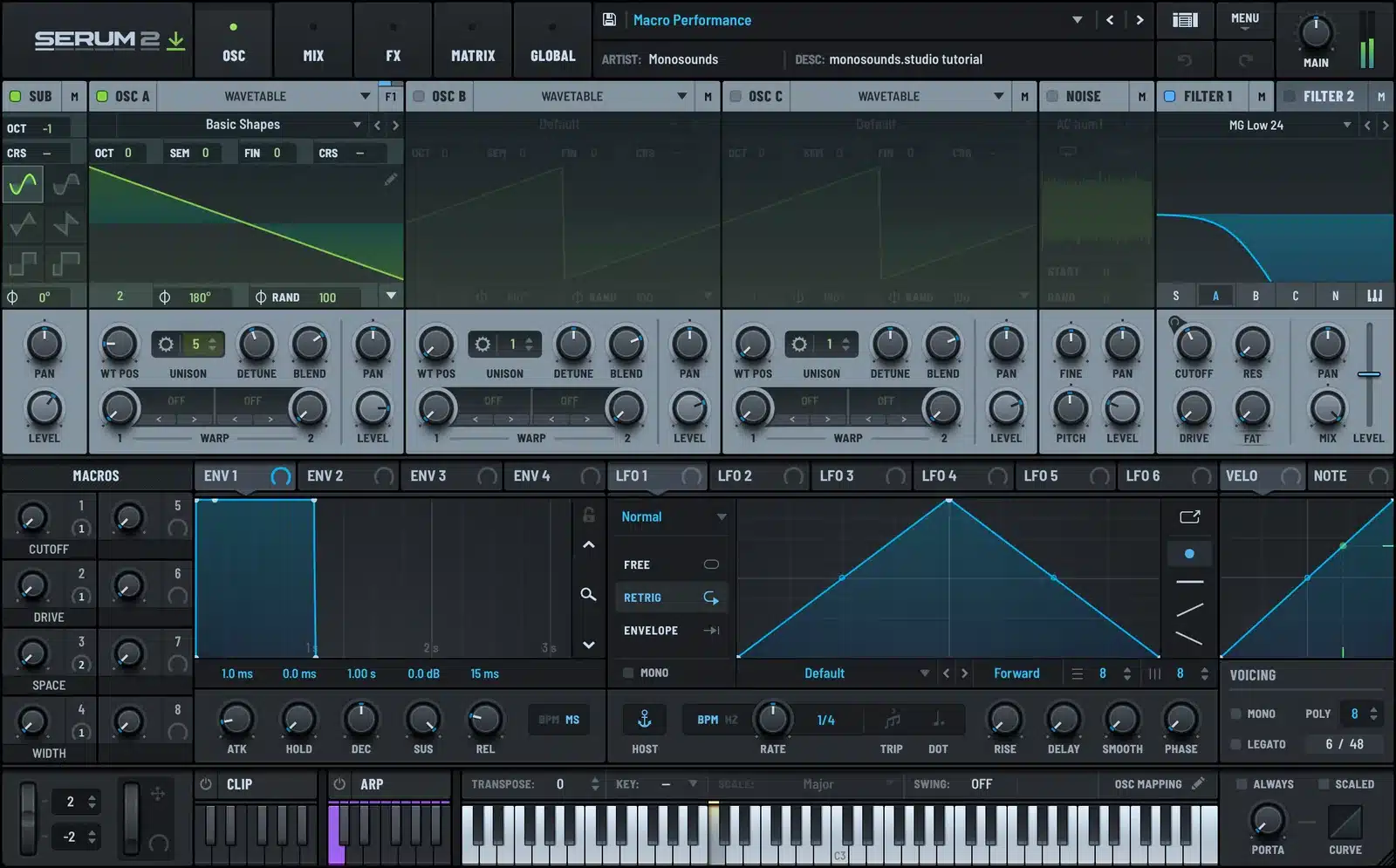
My standing rule in Live: Serum never sits bare on a track. It goes inside an Instrument Rack, with Serum’s eight macros mapped onto the rack’s macro knobs.
Here’s the part people miss: the min/max ranges on each rack macro. Restrict a filter macro to the middle of its travel and that knob physically can’t sweep into useless territory mid-performance. That’s what separates a knob you grab with confidence on stage from one you have to babysit.
Save the rack as your default preset, and every new Serum track spawns with mapped, ranged knobs already in place.
Automation without the mess
Any plugin parameter you touch shows up in Live’s automation choosers, but the tidy approach is automating the rack macros instead: fewer lanes, ranges that stay musical, and automation that survives swapping the preset underneath.
For install-and-organize questions on the preset side, see the walkthrough in how to install Serum 2 presets. Library still empty? Begin with our free Serum 2 presets; map one into a rack and the workflow clicks within ten minutes.
Freeze and flatten, the Live way
Heavy-unison Serum 2 patches chew through CPU, and Live’s remedy lives in the right-click menu: freeze the track, then flatten once you’re certain.
How I work: the moment a part is written, it gets frozen. Before flattening, I duplicate the track and leave the frozen original muted in the set; the duplicate keeps the device chain, so an arrangement change later costs nothing. More CPU habits along these lines are in Serum 2 CPU optimization.
Session view plus the CLIP tab
Serum 2 ships with its own CLIP tab: banks of MIDI clips, 12 slots per bank, playing phrases through whatever preset is loaded. In Live I treat it as a preset-shopping tool: fire a clip, hot-swap presets from the browser, and every candidate gets auditioned on a real phrase rather than a held chord.
Once a sound earns its spot, the actual part gets recorded or written as a Live clip in session view, and Serum’s internal clips retire. Keeping one source of truth for MIDI makes the set predictable when exporting or handing stems off.
A small bonus: hot-swap keeps the MIDI running, so two presets can be A/B’d on the same phrase in seconds. No faster honest method exists for choosing between similar sounds. It’s also how I burn through a new folder — load a bank from our Serum 2 preset packs and inside a minute you know which five patches are keepers.
A note for Push owners
Push picks up rack macros on its encoders automatically. This alone justifies the rack-first habit: Serum 2 turns into an eight-knob hardware synth with zero manual mapping. Bank across devices and the macros are simply there.
Any generic MIDI controller benefits the same way: map it to the rack macros once, and every Serum preset loaded afterward answers to the same eight knobs.
Growing the sound library
Because Live’s browser makes preset hot-swapping so fast, it quietly rewards owning a deep library to swap through. When the free packs stop surprising you, the Serum 2 preset bundles are the sensible route to depth, with better per-preset value than picking up packs one at a time.
FAQ
Why doesn’t Serum 2 show up in Ableton?
Nine times out of ten, the VST3 folder is disabled in Live’s plug-in preferences or the scan cache has gone stale. Turn the folder on and run a deep rescan.
Should I use VST3 or AU in Live on Mac?
Both work. Choose one and stick with it. A session remembers which format it used, so mixing formats between machines triggers missing-device warnings.
Does freezing a Serum 2 track change the sound?
No, a freeze renders the exact output. Flattening commits it to audio permanently; keep a muted duplicate carrying the device chain if edits might come later.
How do I control Serum 2 from Push?
Wrap it in an Instrument Rack and map Serum’s macros to the rack macros. Push grabs the rack macros on its own.
And that’s the entire Live setup: rack first, ranges on the macros, freeze early. Stick to those three and Serum 2 behaves like a native Ableton instrument rather than a guest.

I run Monosounds.studio and make the packs myself. Ten-plus years of producing, 97+ releases, 16,000+ downloads. Every Serum 2 preset we ship passes a CPU check on a mid-range laptop and gets used in a real track before release. If it does not survive a mix, it does not go in the pack.
More about Maxim & the studio →

