Serum 2 LFOs have five types, picked from the dropdown at the top left of the LFO panel: Normal, Path, Chaos: Lorenz, Chaos: Rossler and S&H (the random, sample-and-hold LFO). The two chaos modes give movement that never repeats exactly, which is the best way to get motion that doesn’t sound like a wobble.
Here is every mode, what it looks like, what it sounds like, and when I use it. Ten LFOs per preset, each with its own type, so you can mix them.
Where the Modes Are
Click any LFO tab and look at the top left of the LFO panel. The dropdown lists Normal, Path, Chaos: Lorenz, Chaos: Rossler, and S&H. Below it are the trigger modes: FREE, RETRIG, and ENVELOPE. The type and the trigger are separate choices, so a chaos LFO can still retrigger with each note.
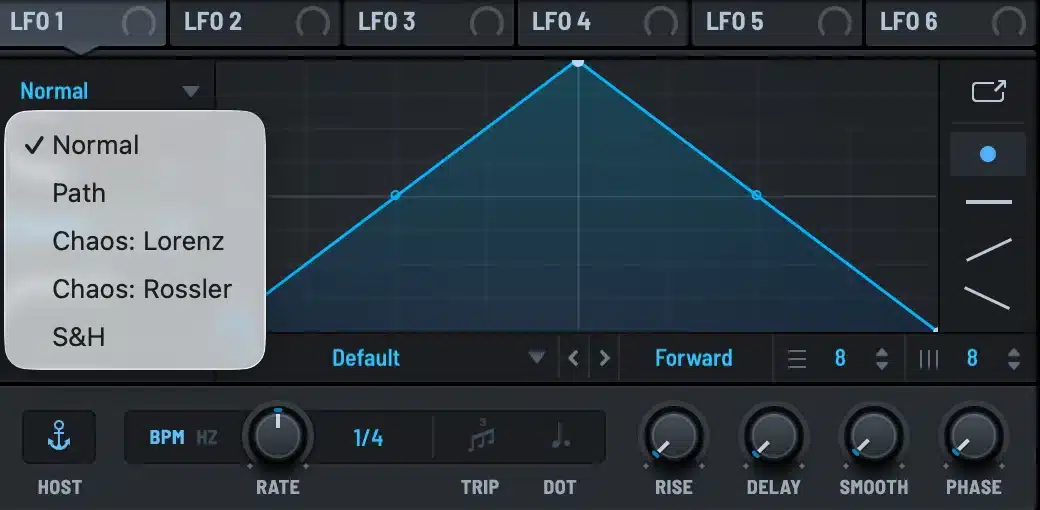
Normal
The one you know. A graph you draw with points and curves, played back at a tempo-synced rate or in Hz. Double-click to add or remove points, shift-click to draw steps at the grid size, drag the small curve handles to bend segments.
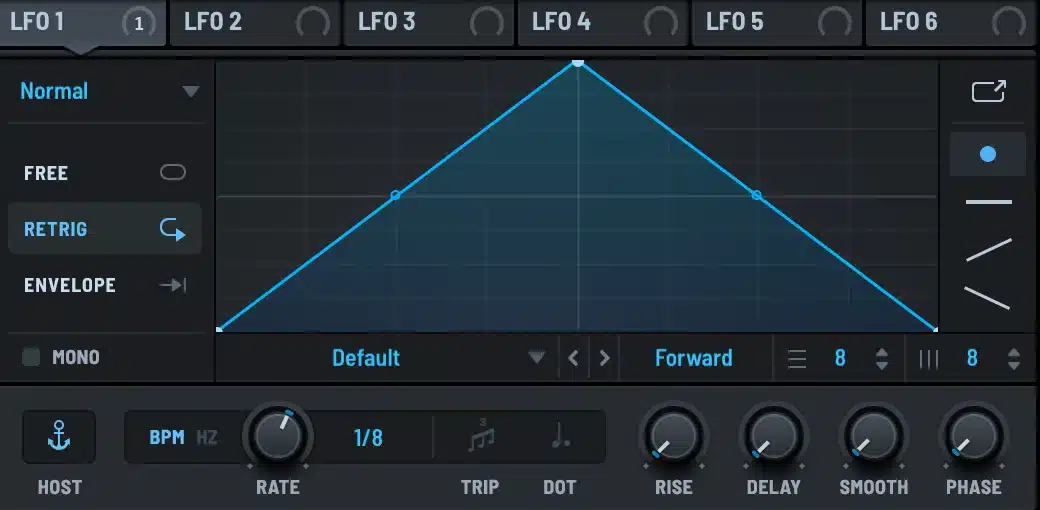
Two settings in this panel do more than people expect. GRID sets the snap size, and with shift-click it turns the LFO into a step sequencer. SMOOTH rounds off every corner in the graph, so a stepped LFO on a filter stops clicking. The Serum 2 modulation guide covers the drawing tools in detail.
Chaos: Lorenz and Chaos: Rossler
These do not play a shape. They run a chaotic equation and output its position. The display shows the attractor, the looping figure the system traces, and a dot moving along it.
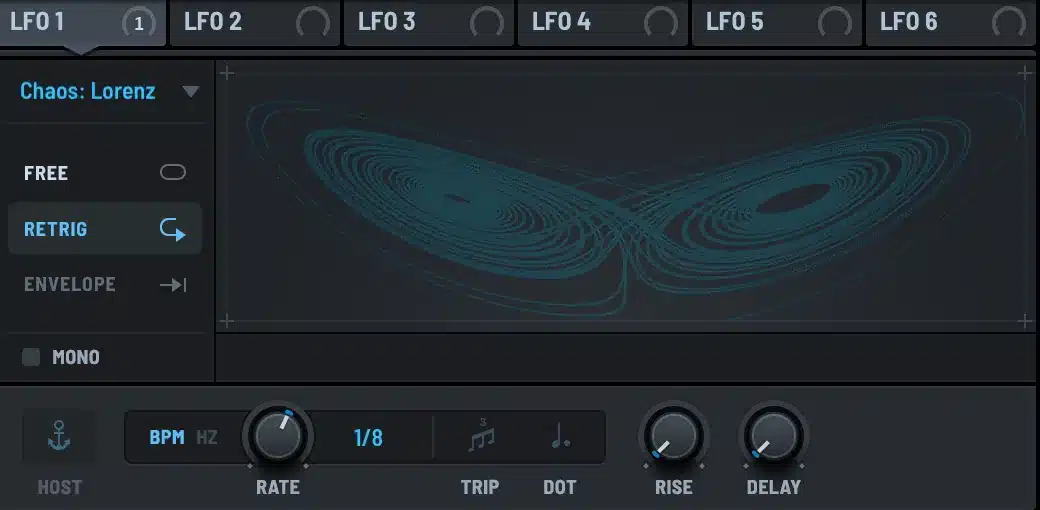
The output never repeats, but it is not random either. It drifts, hesitates, jumps to the other lobe, and comes back. On a filter cutoff at a low depth it sounds like a hand on a knob. On wavetable position it gives pads a slow life that a triangle LFO cannot.
Lorenz has two lobes and swings between them. Rossler is a single spiral that occasionally kicks outward. In practice Lorenz is the more dramatic of the two, and Rossler is the one I reach for when I want drift without events.
RATE controls how fast the system runs. Because the motion is not periodic, sync divisions are less meaningful here. I usually run chaos LFOs in Hz, somewhere between 0.1 and 2 Hz, and keep the depth small.
S&H
Sample and hold. The LFO picks a random value at every step and holds it until the next one. Serum 1 needed a drawn stepped shape and a random mod source to fake this. Serum 2 has it built in.
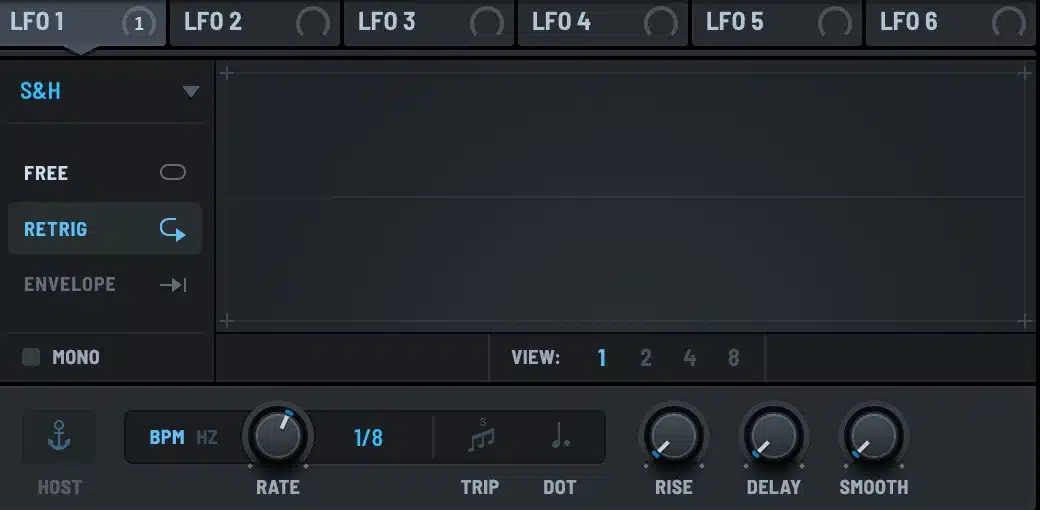
With RATE at 1/16 and the output on pitch at a small depth you get the classic computer bleep. On filter cutoff at 1/8 with SMOOTH turned up it becomes a random but musical filter sequence. RETRIG makes the pattern start fresh on each note. FREE lets it run across notes, which is what you want for texture.
Path
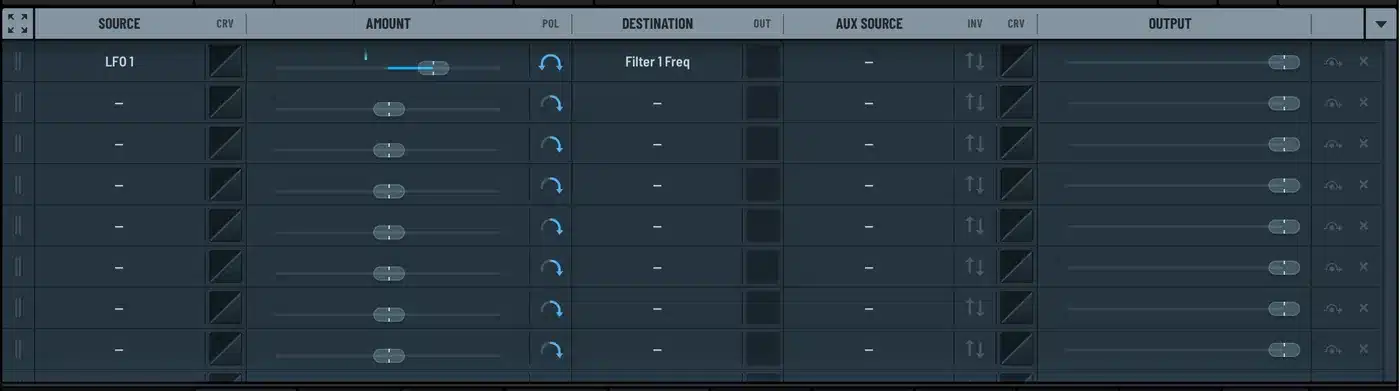
Path is an X and Y LFO in one. You draw a route across a two-dimensional pad, and the LFO outputs two values as it travels along it. Each LFO has a matching Y output in the mod matrix, listed as LFO 1 Y, LFO 2 Y and so on.
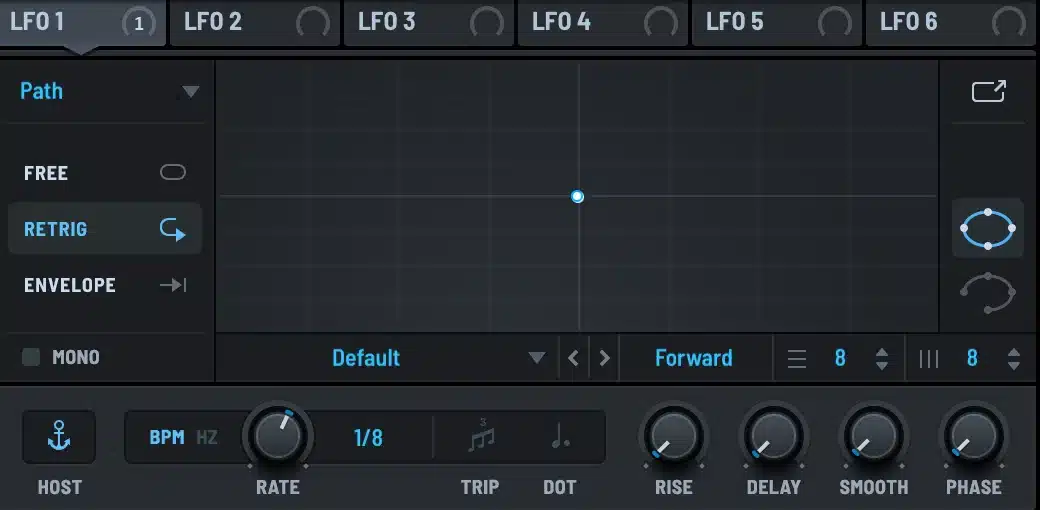
Assign the X output to one parameter and the Y output to another, and one LFO drives both along a shape that would take two synced LFOs and careful phase offsets to reproduce. I use it for wavetable position against filter cutoff on pads, and for grain position against grain size in granular patches.
The Three Trigger Modes
These sit under the type dropdown and apply to every type.
FREE ignores note timing. The LFO follows the host clock, so every voice you play is at the same point in the cycle. Use it for wobbles that should lock to the bar, and for chaos and S&H textures that should not restart.
RETRIG starts the LFO from the beginning on each new note. This is the default and the right choice for anything rhythmic that has to line up with the note start.
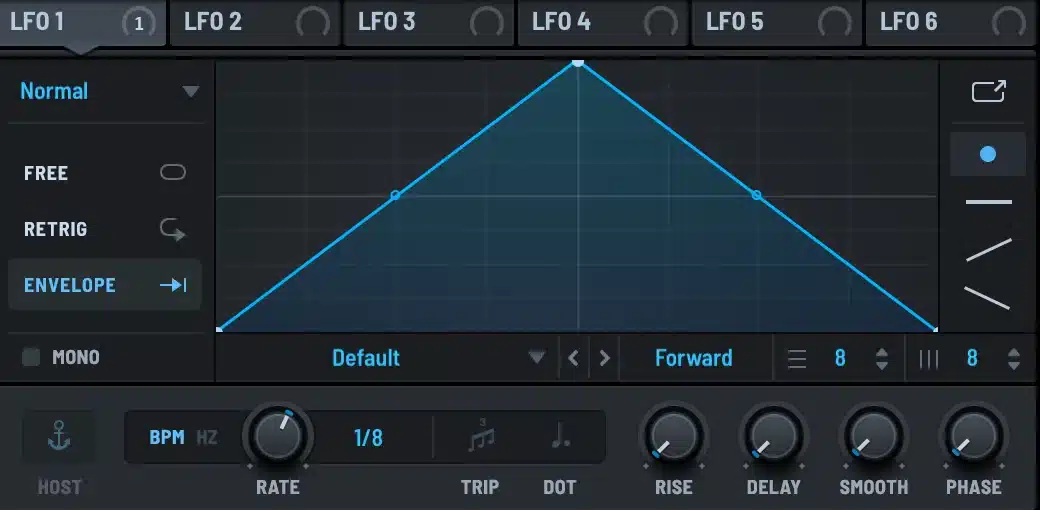
ENVELOPE plays the graph once and stops. That turns the LFO into an extra envelope with a fully drawn shape. Serum 2 only has four envelopes, so a Normal LFO in envelope mode is how you get a fifth, sixth, or tenth. You can also set a loopback point in the graph so the tail repeats a section while the note is held.
RISE, DELAY, SMOOTH, PHASE
Four knobs under the graph, and they apply to all modes.
RISE fades the LFO depth in over time, which is how you get vibrato that arrives after a note has been held. DELAY waits before the LFO starts at all. Both are measured in note divisions when BPM sync is on. SMOOTH filters the output. PHASE sets where in the cycle a retriggered LFO starts.
The MONO button below the graph makes one LFO serve all voices instead of running a copy per voice. For chaos and S&H that matters a lot. Polyphonic chaos gives every note a different drift, mono chaos moves the whole chord together.
Which Mode for What
| Goal | Type | Trigger | Notes |
|---|---|---|---|
| Dubstep or bass wobble | Normal | FREE | 1/8 or 1/4, on cutoff, host synced |
| Living pad | Chaos: Rossler | FREE | 0.2 Hz, low depth, on WT POS and cutoff |
| Random filter sequence | S&H | RETRIG | 1/8, SMOOTH up, on cutoff |
| Two-parameter sweep | Path | RETRIG | X on one knob, Y on another |
| Extra envelope | Normal | ENVELOPE | Draw the shape, route like an envelope |
| Delayed vibrato | Normal | RETRIG | Sine at 5 Hz on pitch, RISE around 1/2 note |
A lot of the pads in the free Serum 2 preset pack run a chaos LFO on wavetable position, so if you want to hear the effect before you build it, load one and click the LFO tabs. There is more of that across the Serum 2 presets catalog and in the bundles.
FAQ
How many LFOs does Serum 2 have?
Ten, each with its own type, rate, trigger mode and shape. Every one of them can be any of the five types.
What is the chaos LFO in Serum 2?
An LFO that outputs the position of a chaotic system, Lorenz or Rossler, instead of a drawn shape. The result never repeats but is not random. It is the best source for slow organic drift.
What is the difference between FREE and RETRIG?
RETRIG restarts the LFO on every note. FREE keeps it running against the host clock, so all notes share the same LFO position. Use FREE for tempo-locked wobbles and textures, RETRIG for per-note rhythm.
Can I use an LFO as an envelope in Serum 2?
Yes. Set the trigger mode to ENVELOPE and the LFO plays its shape once per note and stops. This gives you as many extra envelopes as you have spare LFOs.
What does the Path LFO do?
It outputs two values at once, X and Y, as it moves along a route you draw on a pad. Assign each output to a different parameter for a two-dimensional sweep from a single LFO.

I run Monosounds.studio and make the packs myself. Ten-plus years of producing, 97+ releases, 16,000+ downloads. Every Serum 2 preset we ship passes a CPU check on a mid-range laptop and gets used in a real track before release. If it does not survive a mix, it does not go in the pack.
More about Maxim & the studio →

