A strong lead preset is often what turns a sketch into a record. The lead is what people walk away humming. And in tracks that are otherwise solid, it’s also the element most likely to come out thin, harsh or forgettable.
This guide takes leads apart as they’re actually wired in Xfer Serum 2 — which oscillators, how the filter moves, how much detune, what the FX chain looks like — and 15 free presets ship with it, so your starting point is professional patches, not an init screen.
Also worth saying: “lead” isn’t a single sound. It’s four or five distinct jobs, each calling for its own patch. The guide is structured around exactly that.
Start with the free pack
Download the Free Serum 2 Lead Presets: 15 Lead presets, an audio demo apiece, all royalty-free. Installation takes under a minute: unzip into the Serum 2 user preset folder and rescan.
The spread is deliberate: massive supersaws for festival territory, thin band-passed leads for anything carrying a vocal, several plucky short-decay patches, and two harder distorted ones. Macros are mapped on every patch, so a single knob walks you through the useful range instead of leaving you spelunking in the mod matrix.
Aimed at producers who’ve moved past stock presets and want to see how a finished lead is wired before attempting one from zero.
The sound, part by part
The supersaw lead
The default big lead. One saw oscillator, 7 unison voices, detune between 0.20 and 0.30, blend up high. Under 0.15 you’re basically hearing a single saw; over 0.35 the pitch center blurs and the melody loses definition.
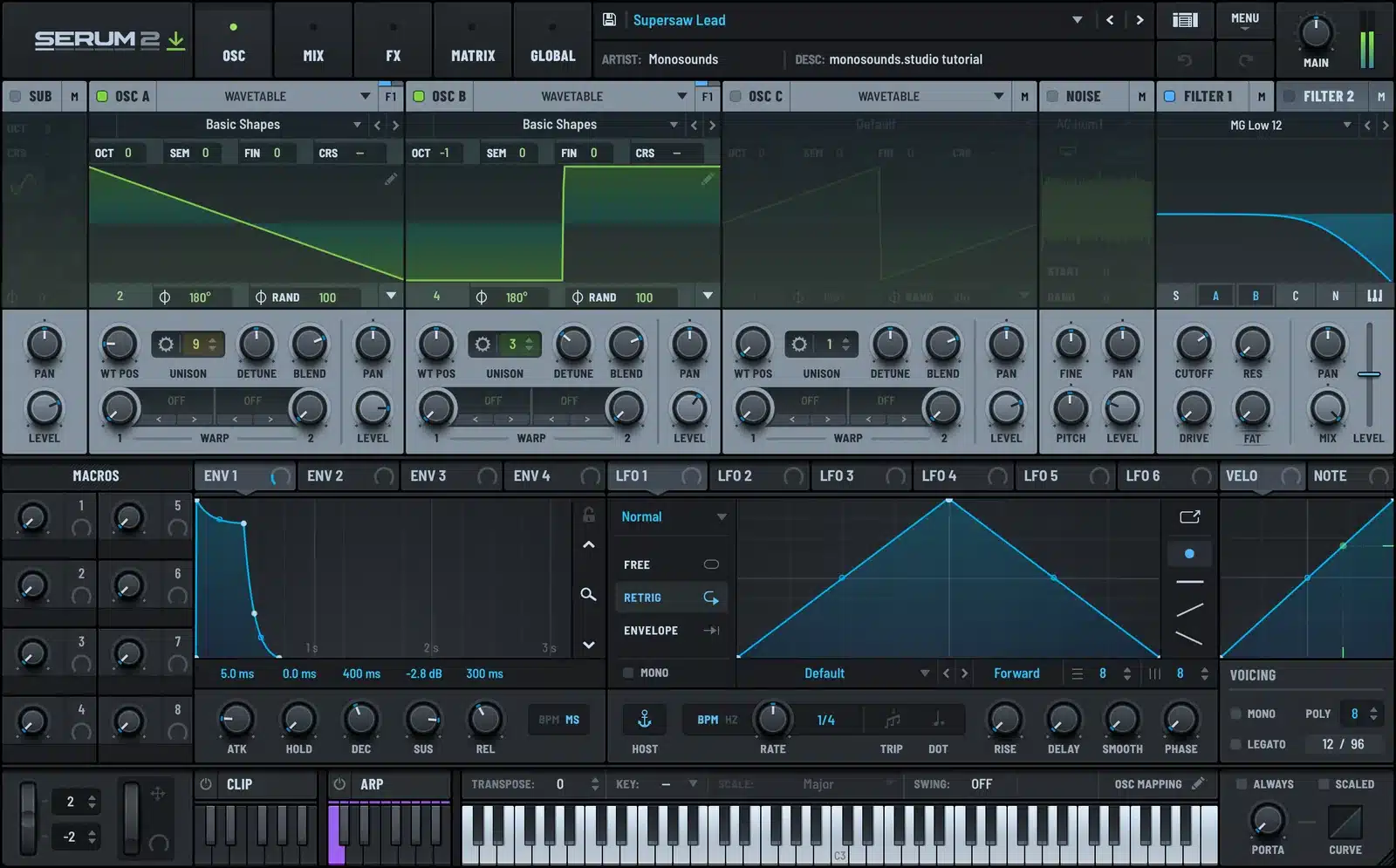
Run the unison stereo width at full on the lead while the low end stays mono. Low-pass around 8–12 kHz to strip the fizz, then let the filter open slowly across the phrase: a 2 to 4 second attack envelope routed to cutoff will do more for your drop than adding another layer. The detune-versus-width tradeoffs get proper treatment in the supersaw guide.
The thin cutting lead
When the mix already belongs to a vocal or a huge bass, the lead should claim one narrow band and nothing more. Single saw or square, unison 3, detune below 0.10. Band-pass centered near 1.5–2.5 kHz with moderate resonance.
Soloed, this patch sounds small. In context, it cuts. Believe that. The classic error is fattening it up until it impresses on its own.
The pluck lead
Amp decay short, 150–400 ms, sustain close to zero, with a matching filter envelope so the tone darkens as the note fades. Bolt on a 1/8 dotted delay with feedback near 30% and the melody doubles as a rhythm part.
The distorted lead
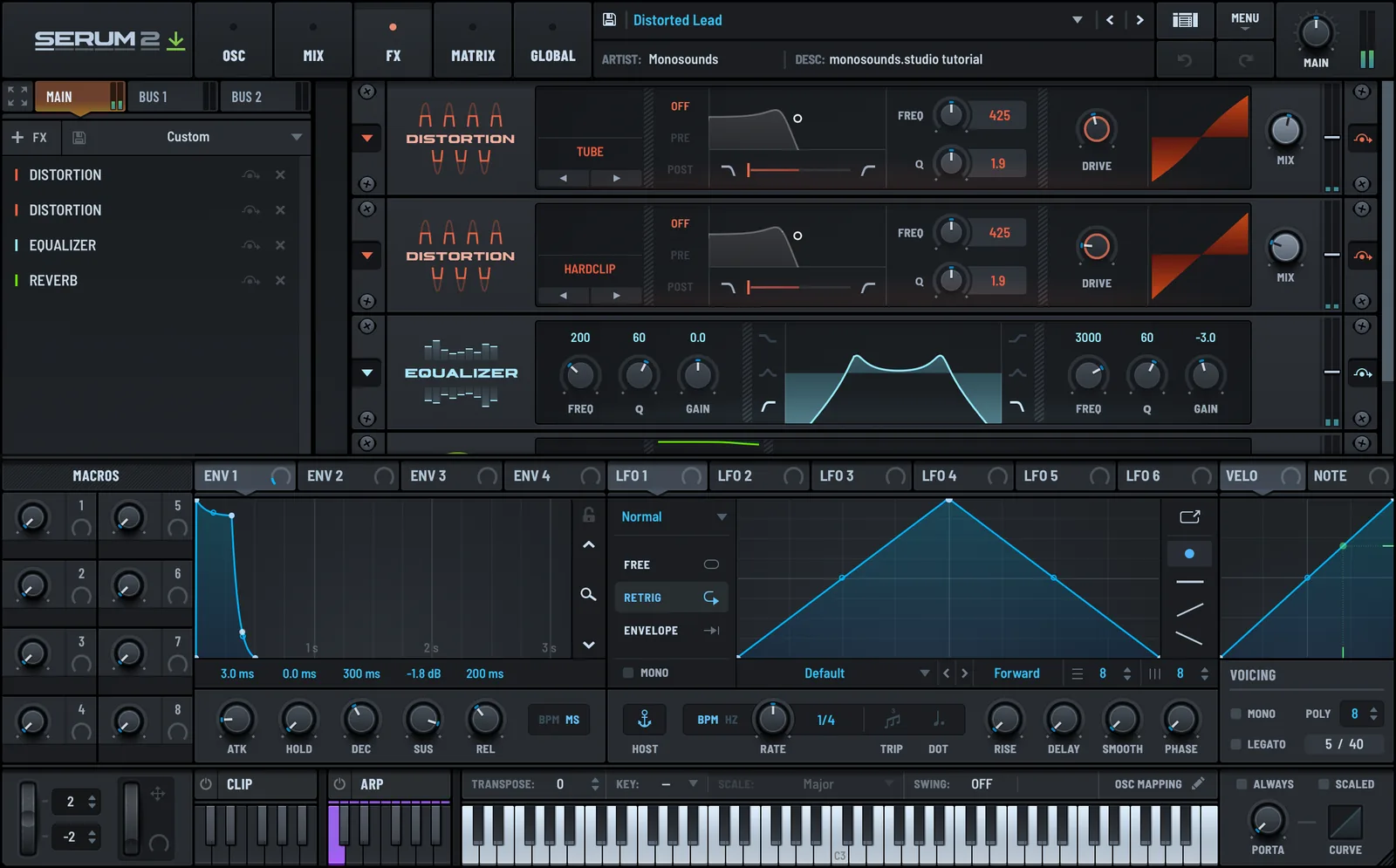
A saw or something gnarlier from the wavetable menu, distortion placed after the filter, then a second filter reining in the top end. Assign wavetable position to an LFO at 1/4 or 1/8 and the static feeling vanishes on the spot. Of everything in the modulation guide, that one routing earns its keep most.
The wavetable-morph lead
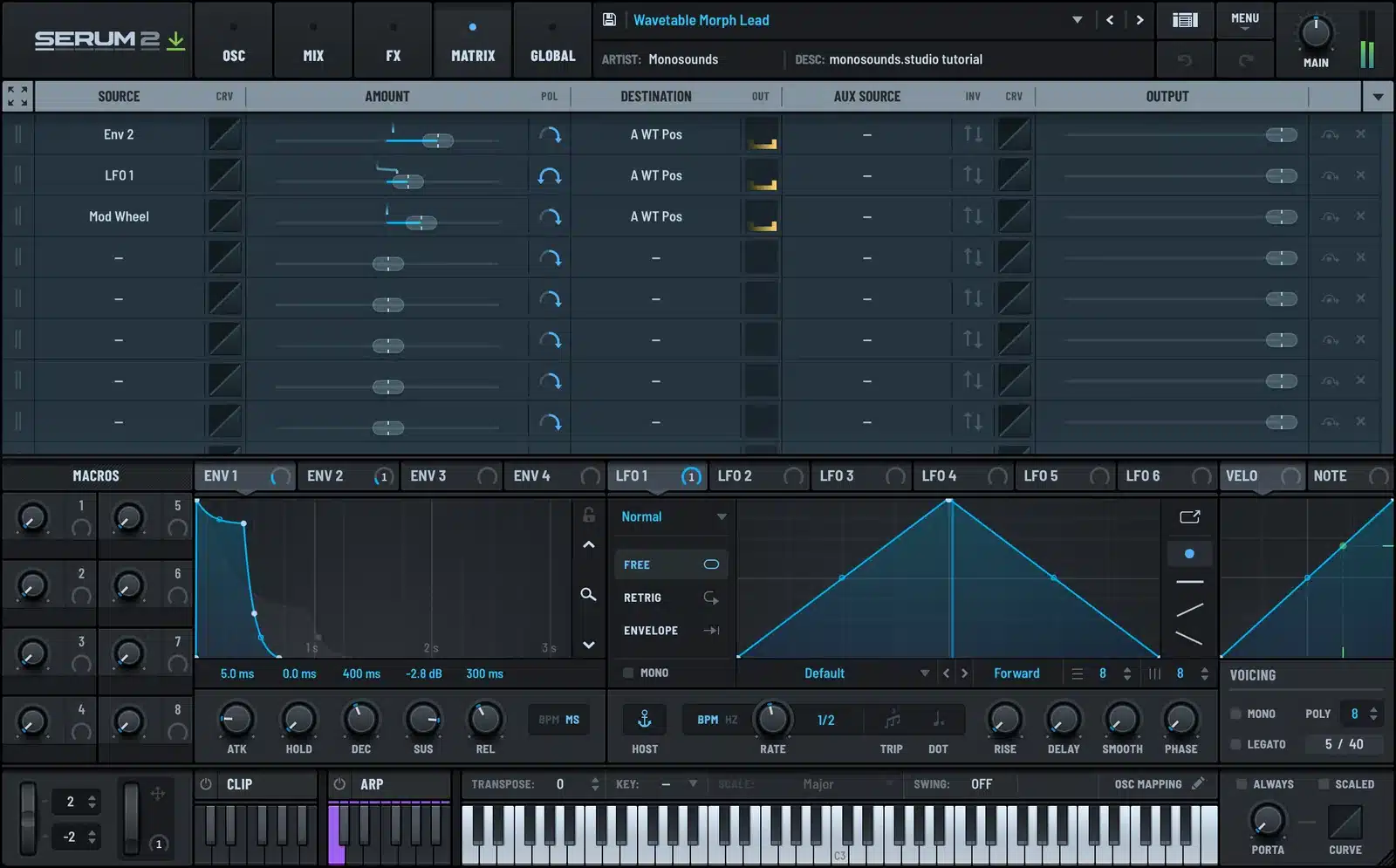
Beyond the classic wavetable engine, Serum 2 adds granular and spectral oscillators, but the cheapest way to make a lead sound designed rather than merely loaded is still morphing table position with a per-note envelope. It doesn’t take much: 10 to 20% of the table over the length of the note.
To hear where all this lands, here’s a lead patch from one of my paid packs:
Tempo, groove and arrangement
Tempo changes what a lead wants to be. House and progressive at 124–128 BPM call for long notes with room around them. Up at 140–150, leads turn short and rhythmic. In half-time material around 140 written, the lead lives in the gaps the drums leave, not on top of them.
Where a lead stays silent is where its energy comes from. Four bars with one bar of rest sounds more confident than four bars wall-to-wall with notes.
A working habit to steal: choose the lead patch first, write the hook on that patch, and only then construct the track underneath it. Melodies composed at a piano and ported to a synth afterwards nearly always need a rewrite — keyboard phrasing rarely survives contact with a patch running a 300 ms filter sweep.
Mixing notes for leads
Every lead gets a high-pass at 200–300 Hz. Nothing musical lives down there, and it’s exactly where leads crash into the bass.
Even on a wide patch, hold the lead mono below 150 Hz. Wide low mids are the top reason a lead feels great in headphones and hollow through a club rig.
Vocal in the track? Pull 2–4 dB from the lead around 3 kHz and hand that band to the voice. The presence range only has room for one owner.
Sidechain lightly against the kick: 1 to 2 dB with a fast release. You shouldn’t hear pumping; the kick transient just needs to stay clean.
And get loudness through saturation rather than level. A touch of drive lets the lead sit louder with the fader lower.
Common mistakes
Too much detune. Beyond roughly 0.35 the melody stops reading, and a lead nobody can hum isn’t doing its job.
Piling up three lead patches for size. Layering pays off only when each layer has a different role: narrow and forward here, wide and quiet there. Three full-range supersaws simply cancel one another out.
Zero movement. A fully static lead announces itself as a preset. Ten seconds and one LFO on wavetable position or cutoff cures it.
Reverb ahead of distortion. The order is distort, filter, then send to reverb; reversed, your tail becomes noise.
When you outgrow the freebies
These 15 patches were built in the same design sessions as our Serum 2 preset bundles, complete genre collections for a fraction of individual pack prices. Prefer to shop by genre? Every Serum 2 pack I make lives on one page.
FAQ
Do these presets work in Serum 1?
No, they need the Serum 2 engine. Serum 2 is a free update for Serum 1 owners.
How much unison and detune should a lead have?
For a wide festival lead: 7 voices, detune 0.20–0.30. For anything sharing space with a vocal: 3 voices, detune under 0.10.
My lead sounds harsh and painful around 3 kHz. What do I do?
Low-pass around 10 kHz first, then pull 2–3 dB with a wide bell at 3 kHz. Harsh still? Your distortion is working too hard: back the drive off and bring the fader up instead.
Are they really royalty-free?
Yes. Releases, client work, beats you sell, no credit needed.
Can I use them in any DAW?
Any host running Serum 2: Ableton, FL Studio, Logic, Cubase, Studio One and the rest.

I run Monosounds.studio and make the packs myself. Ten-plus years of producing, 97+ releases, 16,000+ downloads. Every Serum 2 preset we ship passes a CPU check on a mid-range laptop and gets used in a real track before release. If it does not survive a mix, it does not go in the pack.
More about Maxim & the studio →

