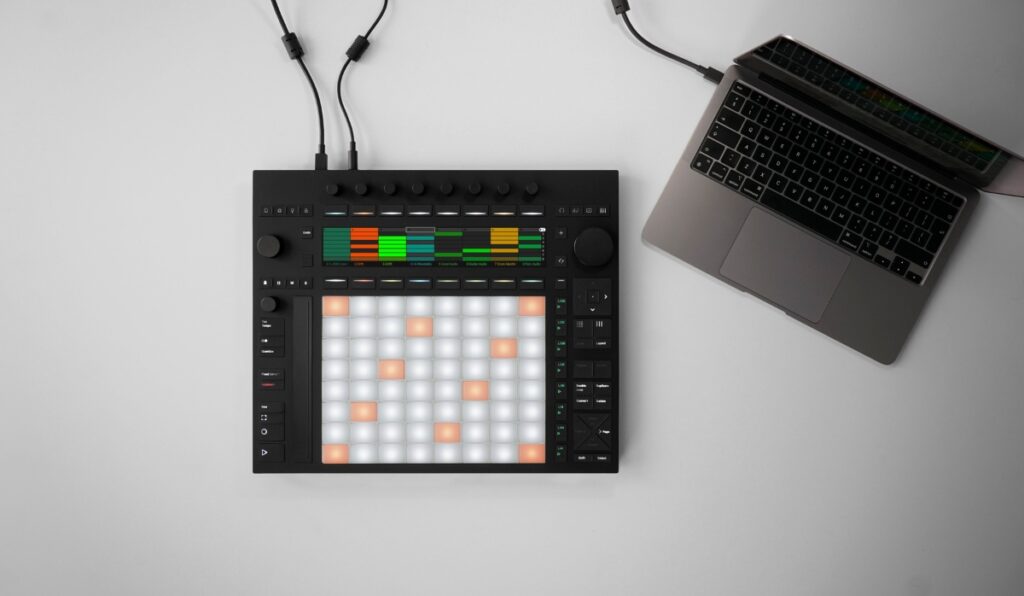
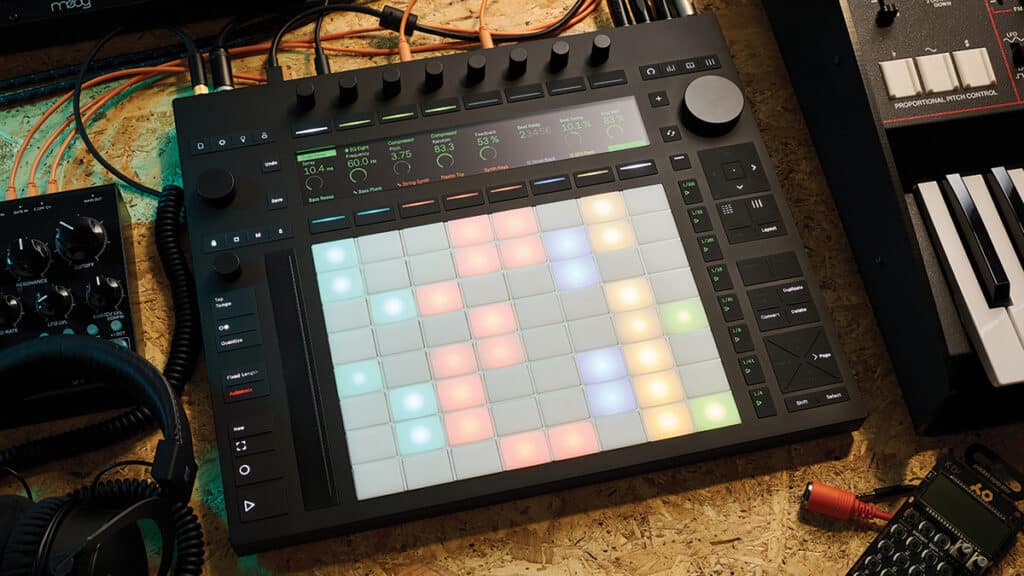
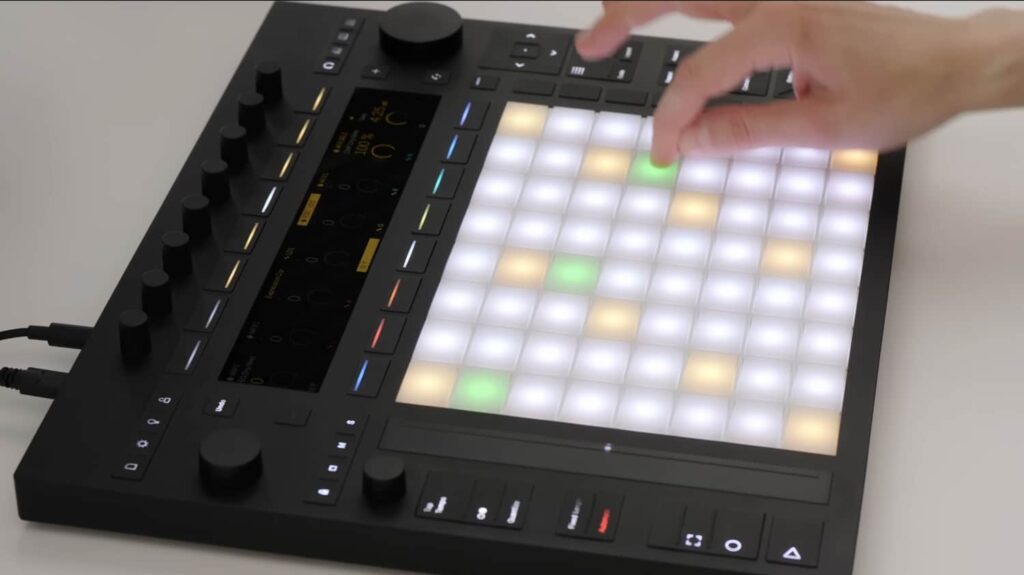
Push 3 came out in May 2023, and three years on it’s still the first thing I tell people to buy if staring at a laptop kills their creativity. The standalone unit really is a studio you can hold: pads that respond to how you play, an audio interface inside the box, and Live’s engine running with no computer in sight. The catch is the sound library. Ableton’s factory content carries you for about a week, and after that you’re hungry for more.
So this is my updated-for-2026 rundown of the ten Monosounds packs that suit Push 3 best. Fair warning: these are my own packs, so read the order as one producer’s preference rather than an objective chart. Every single one is 100% royalty-free and safe for YouTube, streaming and placements.
One thing has changed in a big way since the original version of this post: Serum became Serum 2. The update dropped in March 2025, free for anyone who owned Serum 1, and brought 3 oscillators, granular and spectral engines, new FX buses and a sequencer built right in. Any pack below with Serum presets opens without fuss in Serum 2. Never installed a preset bank before? My walkthrough on installing Serum 2 presets gets you there in five minutes. And if you’d rather hear what we sound like before spending anything, the 250+ free Serum 2 presets are yours, no strings attached.
How sample packs actually work on Push 3 (read this first)
There are two things I wish someone had explained to me before I bought sounds for Push.
The first: standalone Push 3 handles samples, WAV loops and MIDI, but it will not load third-party plugins. Serum 2 cannot run on the hardware. That means the sample and MIDI portion of each pack here works away from the computer, while the Serum preset portion needs Live on your machine. What I do: build and shape sounds in Serum 2 at my desk, resample or bounce them to WAV, then take the Push to the couch and jam on those.
The second: moving files onto the unit is painless once you’ve learned the paths. A few loose samples? Ableton Cloud is the fast lane. A complete pack (a couple of the ones below pass 1 GB) means hooking Push up over Wi-Fi or USB-C, opening the browser in Live, and dropping the pack folder into your User Library. After that it appears on the Push display just like the stock content does.
Some hands-on habits that get the most out of these packs on the hardware:
- Chop melody loops inside a Drum Rack (Simpler set to Slicing mode). For chopping, 16 slices across the pad grid is the number that feels right.
- Put one-shots in 64-pad mode so an entire drum kit lives under your hands at once.
- Long samples are where the MPE pads shine: drop a pad or texture into Simpler and let per-pad pressure drive the filter.
- Sort everything before transferring. Folder names like “Gamma – Drums” and “Gamma – Melodies” keep browsing on the small screen quick.
#10 Faded Memories – LoFi & Trap Sample Pack
If you ask me where Push 3 feels most at home, it’s lo-fi trap: drumming with your fingers, crackly loops, zero grid-staring. That’s precisely the lane Faded Memories was made for — warm melodic loops soaked in vinyl noise, with heavy trap drums to anchor them.
Here’s the bit Push owners should care about: every one of the 21 produced samples ships with its stems, over 120 files in total. Spread those stems across separate Simpler pads and suddenly you’re muting, chopping and rebuilding an entire arrangement live off the grid.
Inside:
- 22 faded drum loops
- 21 complex produced samples, all stems included (120+ files)
- 50 MIDI files with chords and melodies
#9 Gamma – Dark Phonk Sample Pack
Gamma is the phonk pack we built with Atomic Heart in mind: gritty, distorted, with a Soviet-retro streak. Phonk drums are basic patterns delivered with attitude, and pads exist for exactly that kind of playing. The full 57-piece kit sits comfortably inside a single 64-pad Drum Rack and still leaves empty pads.
Don’t sleep on the guitar one-shots. Drop them a few semitones in Simpler, tuck them under the melody loops, and you land on that detuned, grimy phonk texture. Prefer to synthesize your own snarling phonk tones from nothing? I put together a separate phonk in Serum 2 tutorial that fits this pack nicely.
With this pack you get:
- Phonk drum kit: 57 one-shots (kicks, hats, snares, 808s)
- 12 guitar one-shots and loops
- 30 phonk melodies as WAV, all MIDI included
#8 Azzam – Trap Melodies (21 Savage Type)
Azzam keeps things tight: 30 dark trap melody loops built in the stripped-back, raw mold of 21 Savage’s production, and every loop comes paired with its MIDI file. No padding, no 4 GB folder you’ll open once and forget.
On Push, the MIDI files carry the pack. Pull a melody onto a track, route it to any instrument living on the device, and rework the notes straight from the pad grid. Swap three notes and someone else’s melody turns into your own.
Inside:
- 30 WAV melody loops
- 30 MIDI files
#7 Unlimited – Sample Pack & Serum 2 Presets
Unlimited is our “a bit of everything” collection: 808s, genuine acoustic and electric guitar loops, a drum kit, Reese one-shots, and a set of Serum presets that now open in Serum 2. If a beginner told me they hadn’t picked a genre yet, this is the pack I’d put in their hands.
On the hardware, the guitar loops steal the show. Slice up a Les Paul loop, trigger the slices in a new order, slide the 808s in underneath, and ten minutes later you’ve got a beat sketch and you never reached for the mouse.
What’s inside:
- 9 808 one-shots
- 6 acoustic guitar loops (rhythm and melodic)
- 13 electric guitar loops (Les Paul and Strat)
- 1 drum kit: 10 kicks, 10 snares, 9 hats
- 10 Reese one-shots
- Serum 2 presets covering keys, bass and leads
#6 Slap & Deep House MegaPack Vol.1
More than 1000 sounds pointed squarely at slap house and deep house: basslines, drums, vocal loops, MIDI. Apart from Ice Gold it’s the largest pack on the list, so move it onto Push one genre folder at a time instead of dumping everything at once.
Deep house on Push 3 comes down to groove, and these bass loops already carry the swing and that sidechain-style pump. Drop one in, chop a vocal loop across it, then grab the encoders and work the filter. A complete club groove takes shape without the laptop ever waking up.
Inside:
- 1000+ unique sounds, samples, MIDI files and vocal loops
Everything you need for deep house is here.
#5 Organica – Hip-Hop & RnB Sample Pack
Organica goes for warmth and a played-by-humans feel: silky RnB melodies, organic textures, drums that actually breathe. When your beats come out stiff and over-quantized, this pack is the cure.
Here’s my Push advice for it: kill full quantize and play the drum parts in live on the pads, with just a touch of groove correction. These sounds were made to move, and performing them by hand is how you keep that alive.
#4 Hip-Hop Essentials – Sample Pack
The title doesn’t lie. You’re looking at 300+ files of no-nonsense hip-hop: drum loops, one-shots, melodies, FX and a 114-piece drum kit. Weigh the file count against the price and nothing else here beats it.
The heart of the pack is the 144 melodies. Chop them, filter them, run them back through Push’s saturator; a single melody folder can carry you through a month of beats. And the 90 drum loops double as reference grooves: drum your own kit over the top on the pads, then pull the loop out.
Inside:
- 90 drum loops
- 80 drum one-shots
- 31 FX sounds
- 144 melodies
- 38 instrument one-shots
- 1 drum kit with 114 one-shots (kicks, claps, snares and more)
- 100% royalty-free
#3 EDM Essentials – Sample Pack
Think Hip-Hop Essentials, but aimed at the dancefloor: 300+ samples spanning house, festival EDM and the ground between them, along with 50 Serum presets and 50 MIDI files. Just the synth one-shot folder (138 sounds) fills a Drum Rack with stabs and hits ready for live pad playing.
Because these presets now load in Serum 2, the new engine features come along at no cost: feed the pluck presets into Serum 2’s onboard sequencer for rolling house patterns on demand, then print the result to WAV so it runs standalone on Push.
Inside:
- 30 drum loops
- 80 drum one-shots
- 31 FX sounds
- 67 melody loops
- 38 instrument one-shots
- 138 synth one-shots
- 50 Xfer Serum 2 presets
- 50 MIDI files
#2 FISHLAKE Vol.1 – Tech House Serum 2 Presets & Samples
In tech house, the bass sound decides everything, and Fishlake exists for that reason: 170 samples and 50+ Serum 2 presets voiced for a punchy, rolling low end. Drums and vocal chops handle the standalone half; the presets handle desk-time sound design.
Curious why these basses hit the way they do — the drive on the filter, the snappy amp envelope, that pitch dip on the attack? I take the recipe apart piece by piece in my tech house bass in Serum 2 guide.
Inside:
- 170 unique samples: drums, vocals and analog one-shots
- 50+ tech house Serum 2 presets
#1 Ice Gold Collection
Ice Gold keeps the top spot for an unglamorous reason: sheer size and spread. Over 1100 sounds, samples and MIDI files running from trap through hip-hop and RnB to EDM. On a freshly set-up Push, when I have no idea what mood I’m in, this is what gets loaded.
A word of advice: resist moving the whole thing onto the device in one go. Choose two or three genre folders, live with them for a few weeks, then swap. A leaner browser on the Push screen means quicker choices and more loops that actually get finished.
Inside:
- 1104 unique sounds, samples and MIDI files
FAQ: Sample packs on Ableton Push 3
Do sample packs work in Push 3 standalone mode?
They do. WAV samples, loops and MIDI files all run with no computer attached. Send them over via Wi-Fi, USB-C or Ableton Cloud and they show up in the browser on the Push display. Third-party plugins are the one category that won’t run standalone.
Can I use Serum 2 presets on Push 3?
Not on the device itself — Serum 2 is a plugin, and standalone Push 3 can’t host plugins. The fix is straightforward: open the preset in Live on your computer, bounce or resample it down to WAV, and play that sample from the Push. With Push connected to Live in control mode, you can of course play Serum 2 from the pads as usual.
Are these packs royalty-free?
Yes, every one of the ten is 100% royalty-free. Put them in commercial releases, YouTube videos, streams and sync placements without owing us a cent or a credit line.
How do I load a big pack onto Push 3 without a mess?
Unzip on the computer first and leave the folder structure alone. Then connect Push over Wi-Fi or USB-C and drag the entire folder into the User Library inside Live’s browser. Give the top-level folders genre or pack names so you can spot them on the Push screen without hunting.
And that’s the ten. Still can’t decide? Then decide with zero dollars: grab the free Serum 2 presets pack, finish a beat or two, and buy whichever pack matches what you found yourself making. That answer beats any top-10 list, including this one.

I run Monosounds.studio and make the packs myself. Ten-plus years of producing, 97+ releases, 16,000+ downloads. Every Serum 2 preset we ship passes a CPU check on a mid-range laptop and gets used in a real track before release. If it does not survive a mix, it does not go in the pack.
More about Maxim & the studio →