Serum presets carry an odd reputation. Half the producers I meet act like they’re cheating. The other half load a patch, leave every knob alone, and then can’t figure out why their drops sound identical to everyone else’s.
Both groups have it wrong. Making preset packs is my day job, so season this with as much salt as you like, but here’s my honest position: no tool finishes tracks faster than presets, and nothing teaches synthesis faster either. The catch is that you have to actually engage with them — scrolling doesn’t count.
This guide walks through how I load, tweak, layer and reverse-engineer presets in Serum 2. Actual numbers and settings, not motivational fluff.
First things first: Serum is now Serum 2
In case you’ve been out of the loop: Xfer released Serum 2 in March 2025, and every Serum 1 owner gets it as a free upgrade. It lives at xferrecords.com if you haven’t grabbed it.
The headline changes: three oscillators rather than two, five sound engines available per oscillator (the classic wavetable joined by sample, granular, spectral and multisample), real FX buses, plus a built-in sequencer and arpeggiator. All your Serum 1 presets still open without drama.
The complete comparison lives in Serum 1 vs Serum 2 if you want specifics. This article assumes Serum 2 throughout, though most techniques carry back to the original.
What a preset actually is (and why it isn’t cheating)
A Serum preset is simply a snapshot of the synth’s entire state: oscillators, wavetables, filter, envelopes, LFOs, the full mod matrix, the FX chain. Load one and the synth sits exactly where the designer left it.
No one accuses a guitarist of cheating for buying a guitar rather than building one. Same principle here. Working producers reach for presets all the time, occasionally untouched, usually as launching points. Avoiding presets was never the skill. The skill is everything that happens after the load.
There’s an underrated learning angle too: a well-built preset is a complete synthesis lesson sitting open in front of you. More on that further down.
Loading and organizing presets in Serum 2
Installing is drag and drop: place the preset folder inside Serum’s User presets directory and hit rescan in the browser. If you’re unsure where that directory hides on your machine, I keep a short guide on the Serum 2 preset folder location and a complete walkthrough on installing Serum 2 presets.
Two habits worth stealing:
- Keep pack folders intact. Resist merging everything into one giant folder. The moment a sound works in your track, you’ll want its siblings; patches from a single pack are usually voiced to complement each other.
- Favorite as you browse, don’t audition while writing. Block out twenty minutes purely for starring sounds you like. Then, in an actual writing session, you choose from a shortlist instead of tumbling into a browsing hole mid-idea.
Making a preset yours: five tweaks that matter
Fitting a preset into your track rarely requires a redesign. These five moves handle most cases:
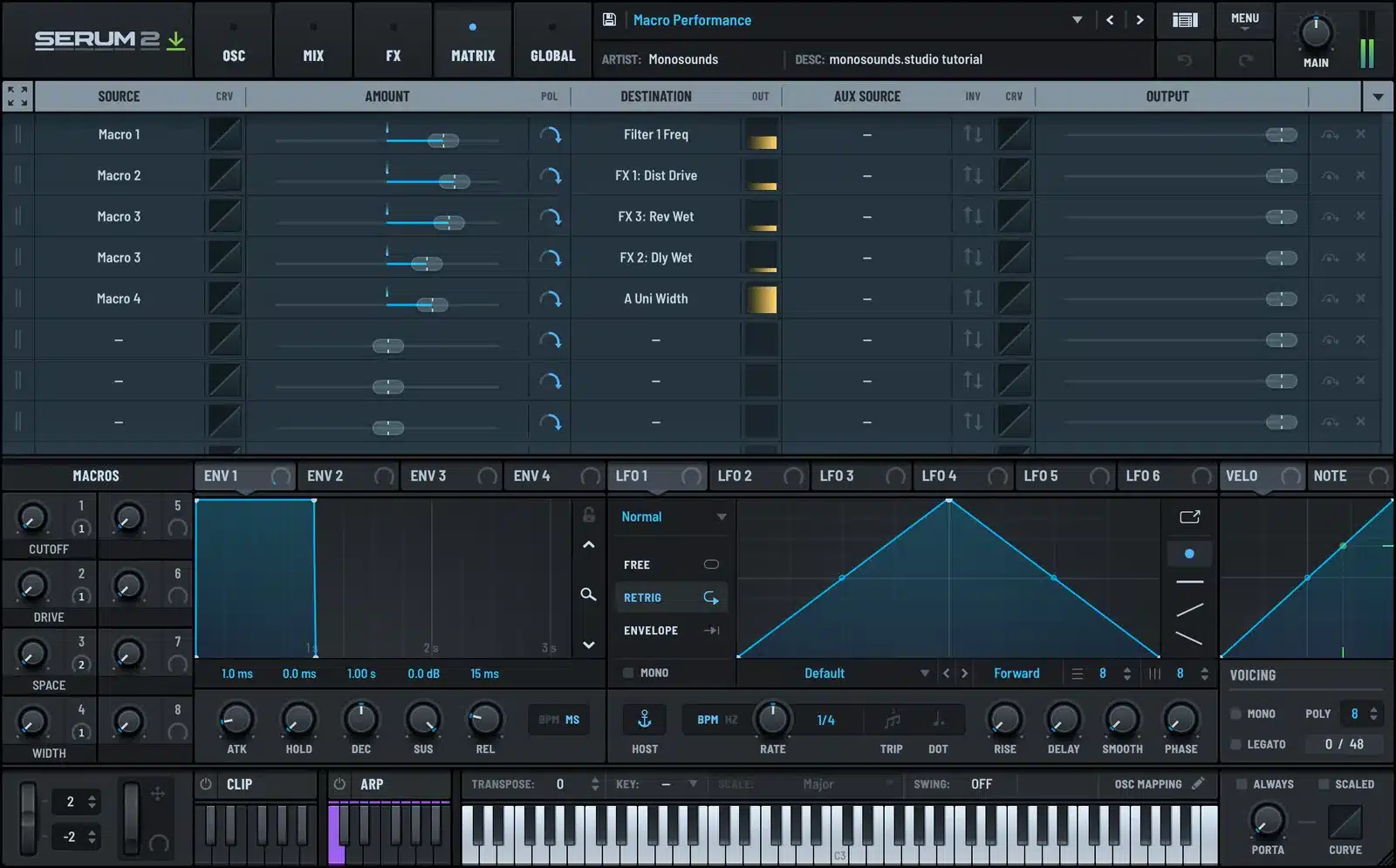
- Move the wavetable position. No control shapes Serum’s character more than WT Pos. A 10–20% nudge shifts the harmonic content while the preset’s motion survives intact. If an LFO already owns that knob, adjust the LFO rate instead: 1/2 in place of 1/4, say.
- Reshape the amp envelope. To turn a pad into a pluck: attack at 0 ms, decay near 400–600 ms, sustain at zero. Pluck into pad: attack pushed to 500 ms or beyond, sustain around 70–80%, release 1–2 s. One preset, two entirely different jobs.
- Cut the unison. Big EDM patches frequently arrive with 7–16 unison voices. For verses or crowded mixes, trim to 3–5 voices and bring detune down near 0.08–0.12. Focus improves immediately and the CPU bill shrinks.
- Ride the filter, add drive. Sweep cutoff until the sound occupies the right part of the spectrum, then feed in some filter drive; it fattens the signal before the FX ever see it.
- Swap one effect. Trade the preset’s reverb for your own send, or a chorus for a phaser. A single FX substitution is frequently all it takes to make a popular preset unrecognizable.
The mod matrix is your map for figuring out what controls what. I take it apart piece by piece in the Serum 2 modulation guide.
Layering presets like a sound designer
Those “huge” sounds on records are almost never one magic patch — they’re two or three presets each handling a separate job. The roles break down as:
- Sub: a bare sine or triangle under ~100 Hz, mono, FX-free.
- Body: the main preset, high-passed near 100–150 Hz to stay out of the sub’s way.
- Top: something airy or noise-based, high-passed around 2–4 kHz and tucked 6–10 dB beneath the body.
Layer presets from one pack first; they already share a sonic world, so the glue comes faster. Frankly this is the strongest case for big collections: our Serum 2 preset bundles put enough basses, leads and pads in a single aesthetic to assemble full layered patches without shopping across ten separate packs.
Reverse-engineering: the fastest synthesis lesson you’ll get
No tutorial taught me as much as this routine. Take a preset you love and dismantle it:
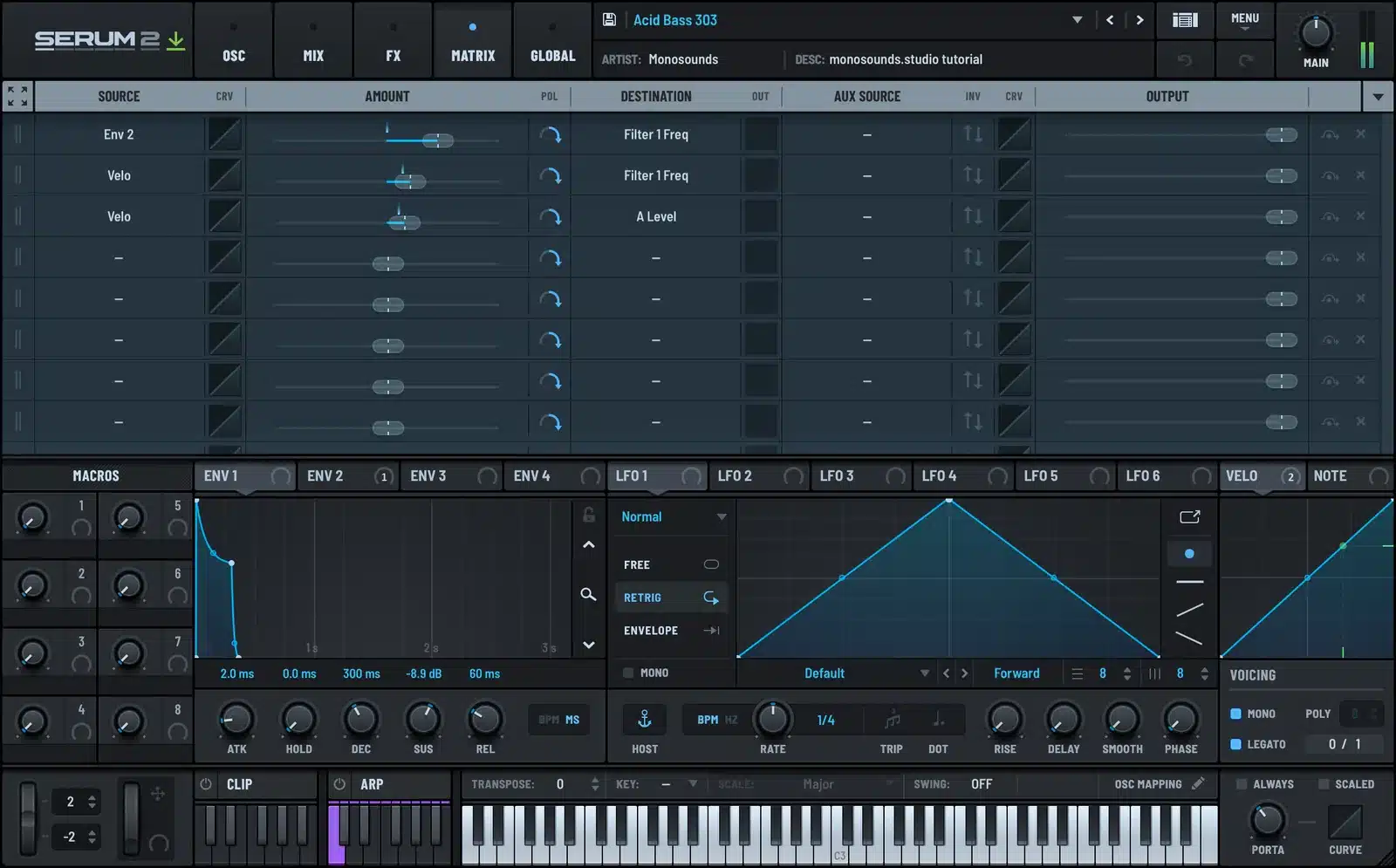
- Bypass the whole FX rack. Notice how much of the sound was really FX, almost always more than you expected.
- Solo the oscillators one at a time. Work out which carries the character and which plays support.
- Go into the mod matrix and remove assignments one by one. The moment your favorite movement vanishes, you’ve located the modulation that made the patch.
- Rebuild the whole thing from an init patch. The first few attempts will fail. The failing is the lesson.
Heavier bass music presets suit this exercise perfectly, since their character is mostly modulation and FX routing. Pick something nasty — the Skrillex-inspired Serum 2 presets dissect beautifully because every growl in the pack is pulling three or four tricks simultaneously.
Where to start: packs by genre
A pack only earns its price when it matches your genre. Fast pointers from our catalog:
- Future bass / melodic EDM: Harmonic Horizons: wide chords, emotional leads, supersaws ready for the drop.
- Techno: Technocraft: rumbling basses and dark stabs voiced to sit in a mix from the start.
- Tech house: Fishlake Vol.1: the bouncy bass tones the genre is built on, with a sample pack included.
Prefer to trial the workflow before spending a cent? That’s exactly why we maintain a free bank of 271 Serum 2 presets. Load them, apply the five tweaks above, keep what sticks.
FAQ: Xfer Serum presets
Do Serum 1 presets work in Serum 2?
Yes. Serum 2 opens Serum 1 patches directly and they sound unchanged. It doesn’t work backwards, though: anything saved in Serum 2 won’t load in Serum 1, so back up old favorites before overwriting them.
Can I use presets in commercial releases?
Nearly always. Presets from reputable stores (ours among them) come royalty-free: releasing, selling and licensing music made with them is all fine. The single restriction is reselling or redistributing the preset files themselves.
Why does a preset sound different in my project than in the demo?
One of four suspects, usually: velocity (lots of presets route it to volume or filter), the mod wheel position, BPM-synced LFOs now running at your tempo rather than the demo’s, or extra master processing on the demo itself. Start with velocity and the mod wheel.
How many presets do I actually need?
Far fewer than you think. A hundred sounds you know inside out beat five thousand you’ve never opened. Choose one or two packs in your genre, star your top twenty, and learn what every macro does.
So that’s the full system: load, tweak, layer, dissect. For a starting point today, pull down the free Serum 2 presets and run the amp-envelope trick on the first pad you find. It costs nothing and it will permanently change how you hear presets.

I run Monosounds.studio and make the packs myself. Ten-plus years of producing, 97+ releases, 16,000+ downloads. Every Serum 2 preset we ship passes a CPU check on a mid-range laptop and gets used in a real track before release. If it does not survive a mix, it does not go in the pack.
More about Maxim & the studio →Looking for the packs themselves? Here is every pack I have built for Serum 2 — sorted by genre and by sound, with a demo on every one.


