A Serum preset is the whole synth, frozen in time: each oscillator setting, each filter knob, all the modulation routings, the internal FX, everything captured in a single file. When you load it, Serum 2 rebuilds itself into exactly the state the sound designer saved.
And that’s the entire trick. No audio hiding inside, no magic. Understanding this properly is worth your time, because it explains what presets can give you and exactly where they stop giving.
A preset is a recipe, not a recording
Here’s the distinction that matters. A sample is a recording: real audio, fixed for eternity. A preset is a recipe, a set of instructions the synth follows to generate the sound live, fresh, on every key press.
This is why a preset reacts to whatever you do. Drop it an octave, hold longer chords, work the mod wheel; the sound follows along, because the synth is producing it in real time. Try any of that with a sample and artifacts show up fast.
It also explains the tiny file sizes. Nothing but parameter values gets stored, no audio at all.
What’s actually stored inside
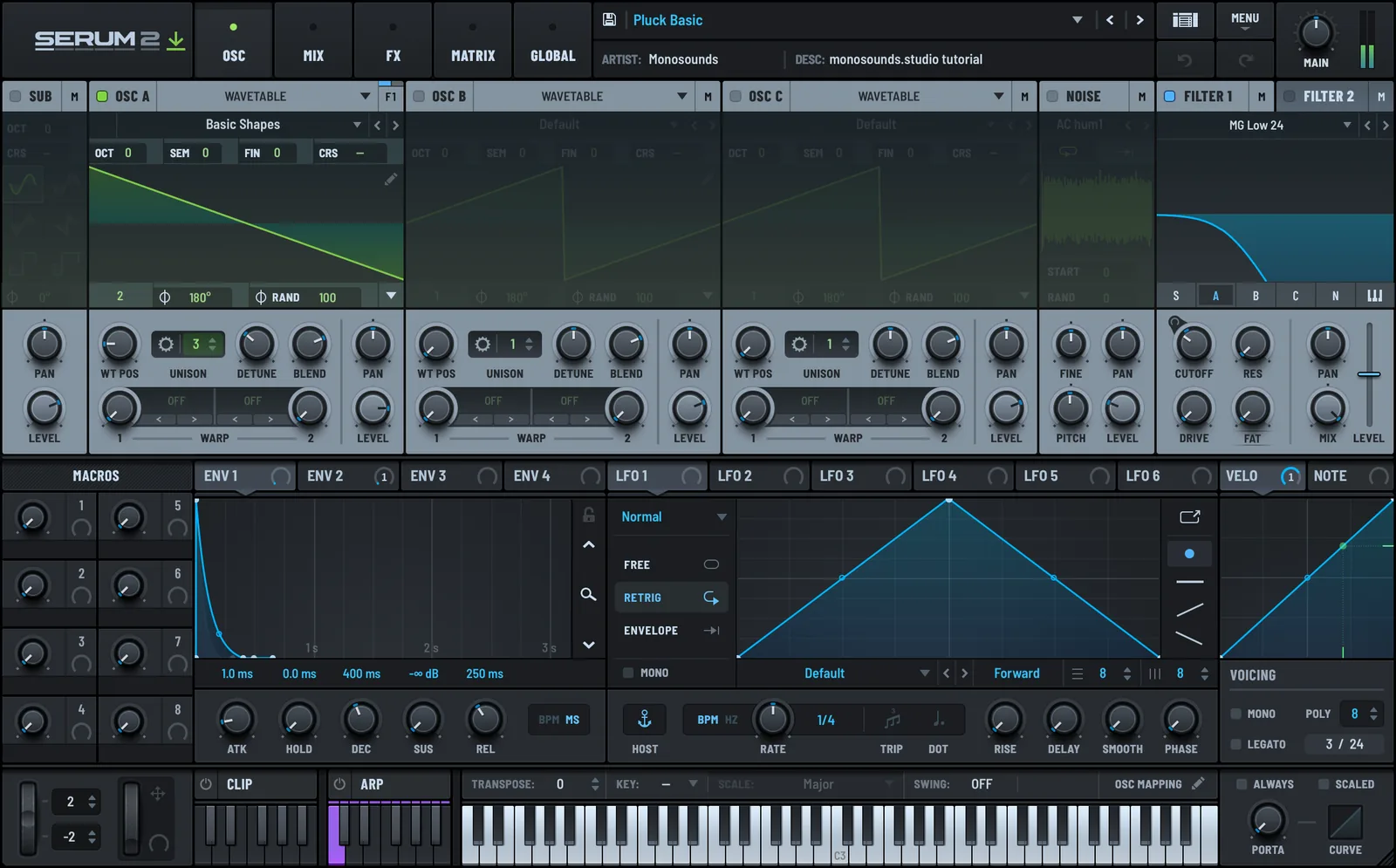
- Oscillator settings — which wavetables are loaded and where within them you’re parked. Serum 2 extends this to the granular, spectral and sample oscillator configurations as well.
- Wavetables themselves — embedded right in the file. People are surprised by this: custom wavetables travel inside the preset, so a patch built on hand-drawn tables plays on your machine with no extra files needed.
- The mod matrix — all the LFO shapes, envelope curves and routings. For study purposes, easily the most valuable section.
- Macros — the four assignable knobs plus everything wired up to them.
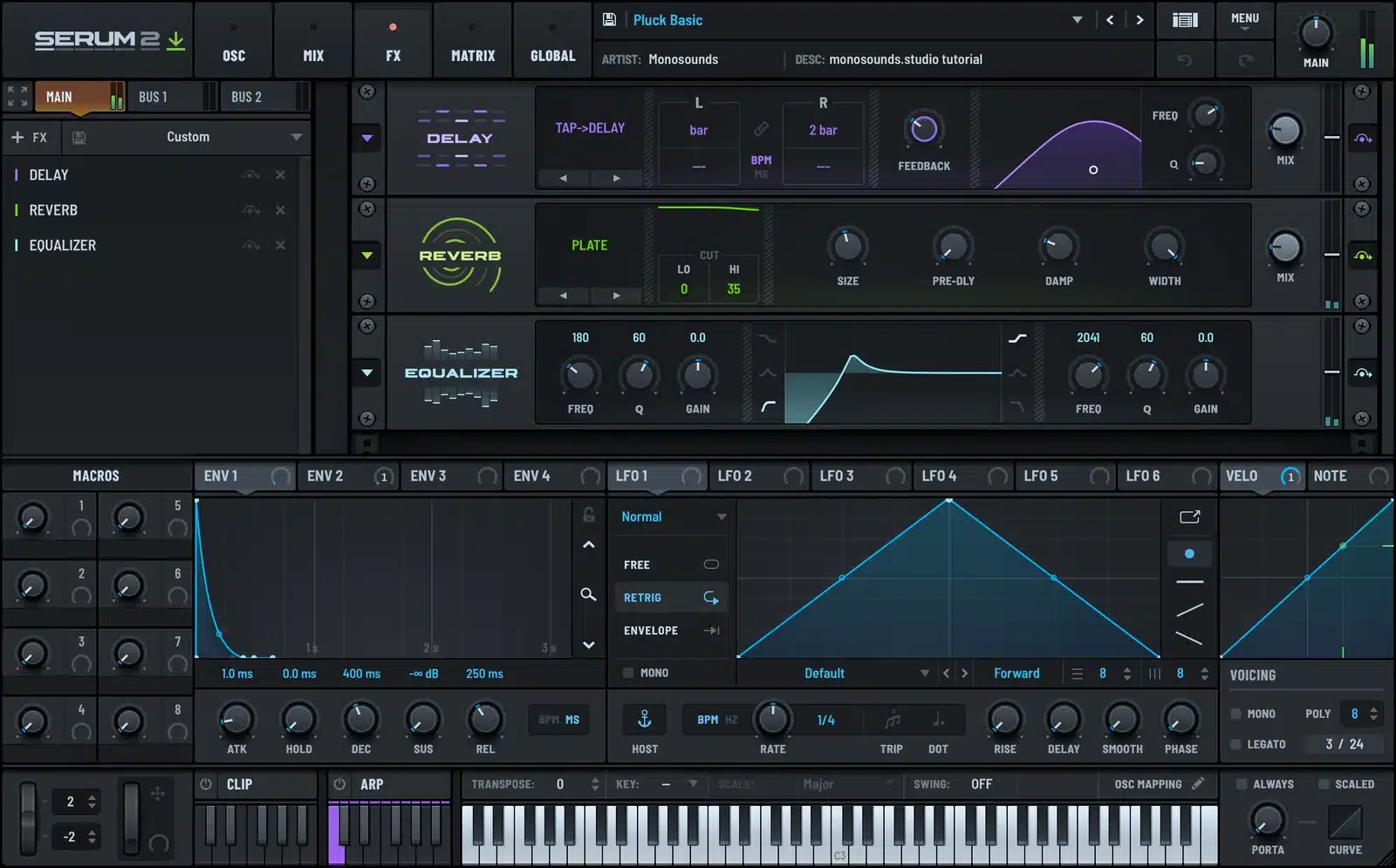
- Built-in FX — Serum’s internal chain and every setting in it.
- Global stuff — voicing, portamento, pitch bend range, the state of the arpeggiator and sequencer, and in Serum 2 the CLIP tab with its MIDI clip banks.
What does NOT transfer
Anything living outside the plugin. Beginners hit this constantly: a preset from some demo video gets loaded and sounds smaller than it did in the video. Nothing broke. The demo was running DAW-side processing on top — external reverb, compression, EQ, possibly mastering across the entire mix.
The MIDI being played isn’t included either. A preset carries the sound, never the notes, and half of what makes any demo impressive is the playing. That’s exactly why we started shipping MIDI clip banks with patches at Monosounds; Serum 2’s CLIP tab holds 12 slots per bank, so the phrases can travel together with the sounds.
For a quick sense of what one preset plus one MIDI phrase gets you, here’s a cut from our house pack.
Serum 1 vs Serum 2 presets
Serum 2 opens Serum 1 presets without complaint; the update came free for Serum 1 owners, and Xfer preserved compatibility. Old libraries of .fxp files keep working. Going backwards doesn’t: patches relying on Serum 2’s new oscillator types (granular, spectral, sample) have nothing in Serum 1 to fall back on.
Presets you save yourself land in the Presets/User folder, and installed packs usually claim their own subfolder in there. If that step trips you up, my preset installation guide covers it fully. And if the synth as a whole still feels foreign, begin with my Serum 2 beginners guide before anything else.
Why presets teach faster than tutorials
My admittedly biased view as someone who makes them for a living: a good preset is a working, finished answer, while a tutorial is a lecture. Back when I was learning, an hour spent reverse-engineering patches beat a week of videos, every time. It’s why everything I make for Serum 2 ships fully editable, because a locked patch teaches nobody anything.
The method:
- Load a preset you like and play it for a minute, long enough for your ear to memorize the target.
- Start switching things off one by one: FX first, then modulation routings, then oscillator B. Notice what each removal takes away.
- Hunt for the single routing that makes the sound interesting. Almost every patch has exactly one. That routing is the lesson.
- Tomorrow, rebuild only that trick from an init patch, working from memory.
Need material to practice on? Our free Serum 2 presets are constructed the same way as the paid packs, so the mod matrix rewards dissection.
Once the freebies have been picked apart completely, the Serum 2 preset bundles become the best-value path to a larger library: multiple genres of patches for less than the individual packs would cost.
FAQ
Does a preset contain audio?
No. Only parameter values and embedded wavetables. The audio gets generated live by the synth as you play.
Why does a preset sound different than in the demo video?
Because the demo had DAW-side FX and better MIDI behind it. A preset carries only what exists inside the plugin. Add a reverb, steal some better chords, and you’ll close most of the gap.
Do Serum 1 presets work in Serum 2?
Yes, they load in Serum 2 fine. The reverse fails for any sound built on Serum 2’s new oscillator types.
Can I edit a preset and save it as my own?
Yes, and please do. Save the edited version into Presets/User under a fresh name — presets you’ve tweaked into your own are the most valuable files a library can hold.
So there it is: a preset is a frozen synth state, a recipe open to inspection and change. Treat each one you own as an open-source lesson instead of a black box, and even a modest library will carry you far.

I run Monosounds.studio and make the packs myself. Ten-plus years of producing, 97+ releases, 16,000+ downloads. Every Serum 2 preset we ship passes a CPU check on a mid-range laptop and gets used in a real track before release. If it does not survive a mix, it does not go in the pack.
More about Maxim & the studio →

