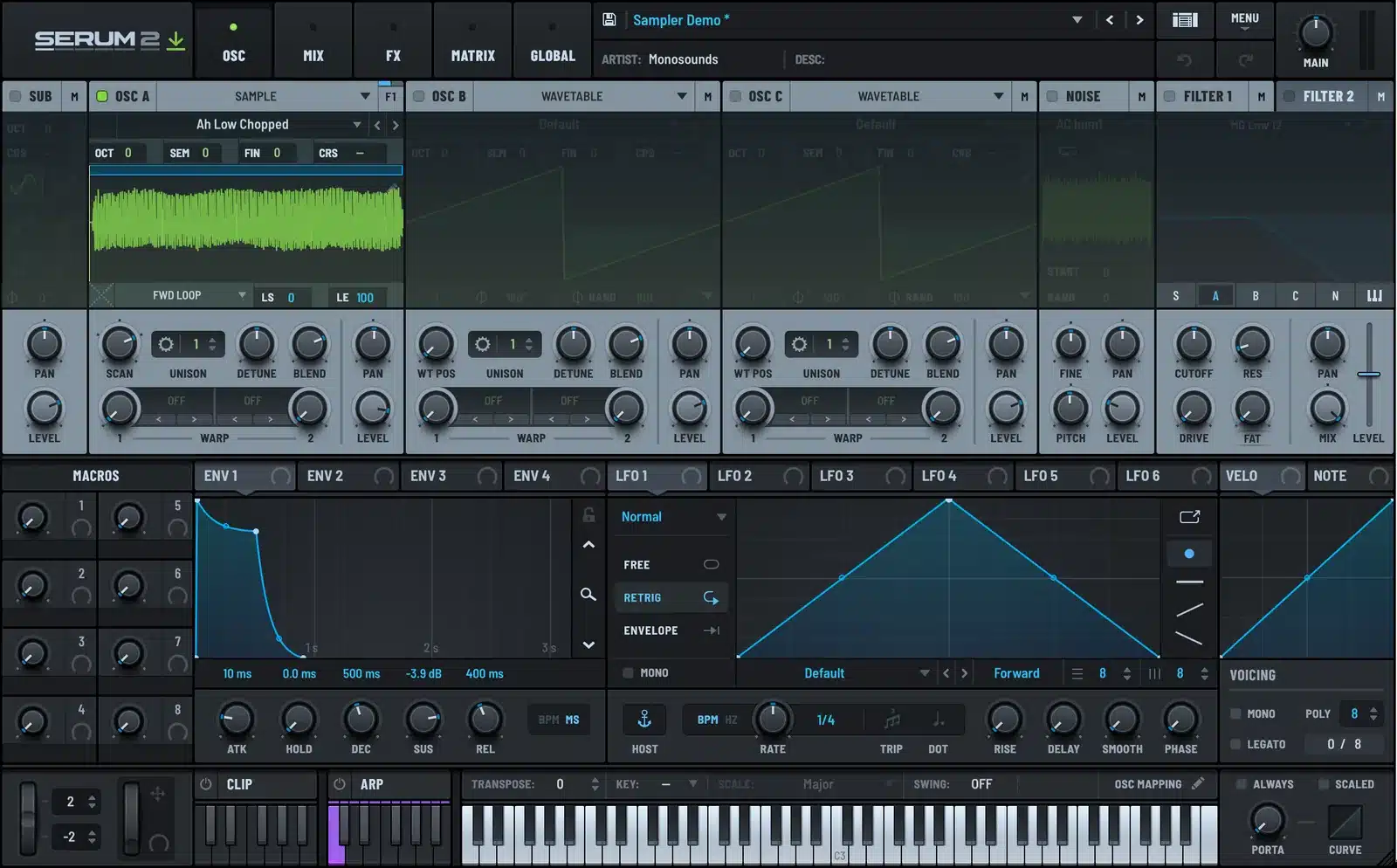
Serum 2 has no separate sampler because every oscillator can become one. Click WAVETABLE in the OSC header and choose Sample, or just drag a WAV onto the oscillator, and it plays through the same filters, envelopes, unison and FX as a wavetable.
This is how the Sample engine works. Loading, tuning, looping, slicing, scanning, and the handful of settings that matter. Screenshots from the plugin throughout.
Switching an Oscillator to Sample Mode
Click the word WAVETABLE in the OSC A header and choose Sample from the list. The waveform display is replaced by a sample display, and the WT POS knob becomes SCAN. Or skip the menu and drag an audio file onto the oscillator. Serum 2 switches to Sample mode on its own.
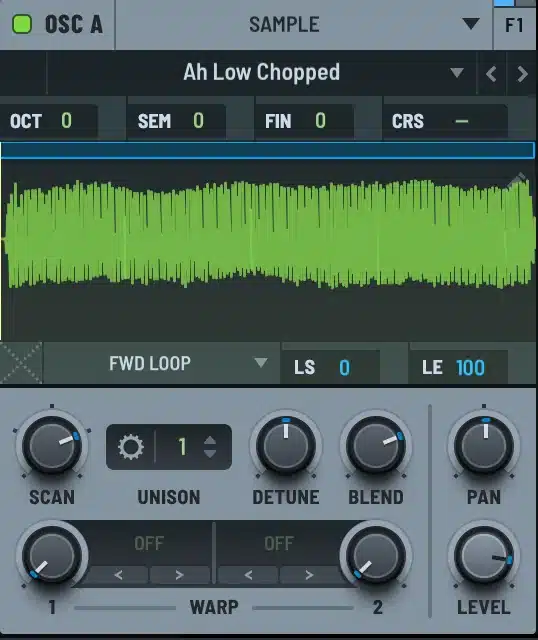
Serum 2 ships with a folder of factory samples in the dropdown under the header, sorted into categories like Vox, Bass, Piano and Spatial. Your own files go in the Samples folder next to the presets folder, or anywhere on disk if you drag them in.
Tuning the Sample
A sample only plays in tune if Serum 2 knows what note it was recorded at. If the file name contains a note, like C3 or A#2, Serum 2 reads it. Otherwise it assumes C3 and you correct with the SEM and FIN controls in the pitch row. Play the sample against a sine on OSC B to check. Beating between them means you are close but not there.
Once it is in tune, the whole keyboard works. Play an octave up and the sample plays twice as fast, which is the classic sampler chipmunk effect. If you want the timbre to stay put while the pitch changes, that is a job for the Multisample or Spectral engines, not this one.
Start, End, and the Four Loop Modes
Drag the start and end markers in the display to trim the sample. Below the display, a small dropdown sets the loop mode.
| Mode | What it does | Use it for |
|---|---|---|
| One-shot | Plays start to end once, ignores note length | Drums, hits, FX |
| Fwd Loop | Plays to the loop end, then repeats the loop region while the note is held | Sustained sounds, vocals, drones |
| Rev Loop | Plays forward to the loop end, then loops backward | Reversed textures |
| Fwd/Rwd Loop | Ping-pongs between the loop points | Pads from short samples, click-free loops |
Loop start and end are the blue markers, and the LS and LE fields under the display show their positions. Click and drag inside the loop region to move the whole loop. A crossfade control smooths the seam, and Fwd/Rwd looping is the fastest way to get a clean loop from a sample that was never meant to loop.
The Sample Menu
Right-click the sample display for the operations menu. Fade Edges, Normalize, Reverse and Trim are non-destructive. The original file is not touched, and undo and redo work. Reload Sample clears every operation and brings the original back.
The same menu holds the slicing options and Embed in Preset, which bakes the sample into the preset file so it travels with it. Only use that if you plan to share the preset, because it makes the file a lot bigger.
Slicing
Three options in the menu: Slicing Off, Slice Auto, and Slice Manual.
Slice Auto puts a yellow threshold line across the display. Drag it down for more slices, up for fewer. Hover over a slice and Serum 2 shows the key that plays it. Drums and chopped vocals end up spread across the keyboard from around A1 upward, one slice per key.
Slice Manual starts with the same automatic slices and then lets you drag, add and remove them. Drag up and down in the display to zoom, left and right to pan when zoomed. Slicing works the same way in the Granular and Spectral engines.
SCAN
The SCAN knob moves the playback start through the sample while a note is held. Modulate it with an LFO or envelope and the sample scrubs. A slow LFO on SCAN over a long pad sample is a cheap way to get evolving texture. Right-click SCAN for tempo options, including matching the sample length to the host BPM, at which point SCAN turns into a RATE knob in beats and bars.
What the Sample Engine Is Good At
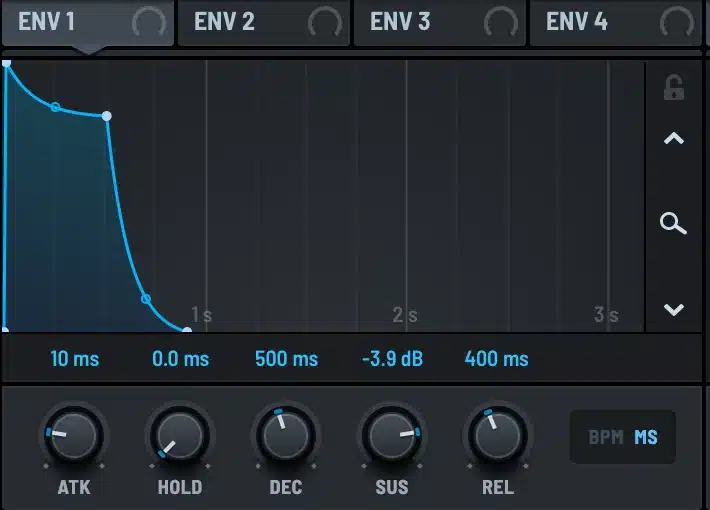
Vocal chops. Load a phrase, One-shot mode, Slice Auto, play the slices from the keyboard. Add a filter and the envelope from the vocal chops guide and it is done inside one plugin.
Layered attacks. Put a short transient sample on OSC C in One-shot mode under a wavetable bass or pluck. The sample supplies the click, the wavetable supplies the tone.
Drum kits. A sliced drum loop on one oscillator is a playable kit. Serum 2’s factory content even ships with a Drumkit category built this way.
Textures. Long field recording, Fwd/Rwd loop, slow LFO on SCAN, low-pass filter. Underneath a chord progression at a low level it warms up a whole track.
For pads and textures from a sample, the Granular engine is usually a better fit than Sample mode, and I cover it in the granular tutorial. For pitch-independent timbre, see the spectral oscillator guide.
A few presets in the free Serum 2 preset pack use a sample oscillator for the attack layer, and the vocal packs in the Serum 2 presets catalog are built almost entirely in Sample and Granular mode. The bundles collect those by genre.
FAQ
Can Serum 2 load samples?
Yes. Switch an oscillator to Sample mode from the header menu, or drag an audio file onto it. WAV, AIFF and FLAC files work.
How do I loop a sample in Serum 2?
Use the loop dropdown under the sample display. Fwd Loop is the standard sustain loop, Fwd/Rwd Loop is the cleanest for samples that were not designed to loop. Drag the blue markers to set the loop region.
How do I slice a sample in Serum 2?
Right-click the sample display and choose Slice Auto. Drag the yellow threshold line to change the number of slices. Each slice gets its own key on the keyboard.
Why is my sample out of tune?
Serum 2 reads the root note from the file name. If there is none, it assumes C3. Correct with the SEM and FIN controls, or rename the file to include the note.
What is the difference between Sample and Granular in Serum 2?
Sample plays the audio straight through like a sampler. Granular breaks it into grains and streams them, which lets you freeze, stretch and smear the sound. Both engines share the same loading, looping and slicing tools.

I run Monosounds.studio and make the packs myself. Ten-plus years of producing, 97+ releases, 16,000+ downloads. Every Serum 2 preset we ship passes a CPU check on a mid-range laptop and gets used in a real track before release. If it does not survive a mix, it does not go in the pack.
More about Maxim & the studio →

