Anyone who found future bass in the late 2010s knows OSHI. That blend of hip-hop bounce, warped vocal textures and emotional chords shaped an entire generation of producers, and to this day people write me asking how to get near that sound.
The first version of this guide went up in 2023; this is the 2026 refresh. The big development in between: Serum 2 arrived in March 2025 as a free upgrade for Serum 1 owners, bringing three oscillators, five engines (granular and spectral among them), new FX buses and a built-in sequencer. Several tricks that once needed external tools now live inside the synth. For a complete walkthrough of building a future bass drop from an init patch, I keep a separate future bass Serum 2 tutorial. This one is about the OSHI flavor in particular.
Serum 2 Presets for the OSHI Sound
Whether or not every OSHI patch actually was Serum, the synth work sounds like Serum. What gives it away is the effect chain: heavy multiband compression, chorus, and pitch envelopes that push leads into almost-vocal territory.
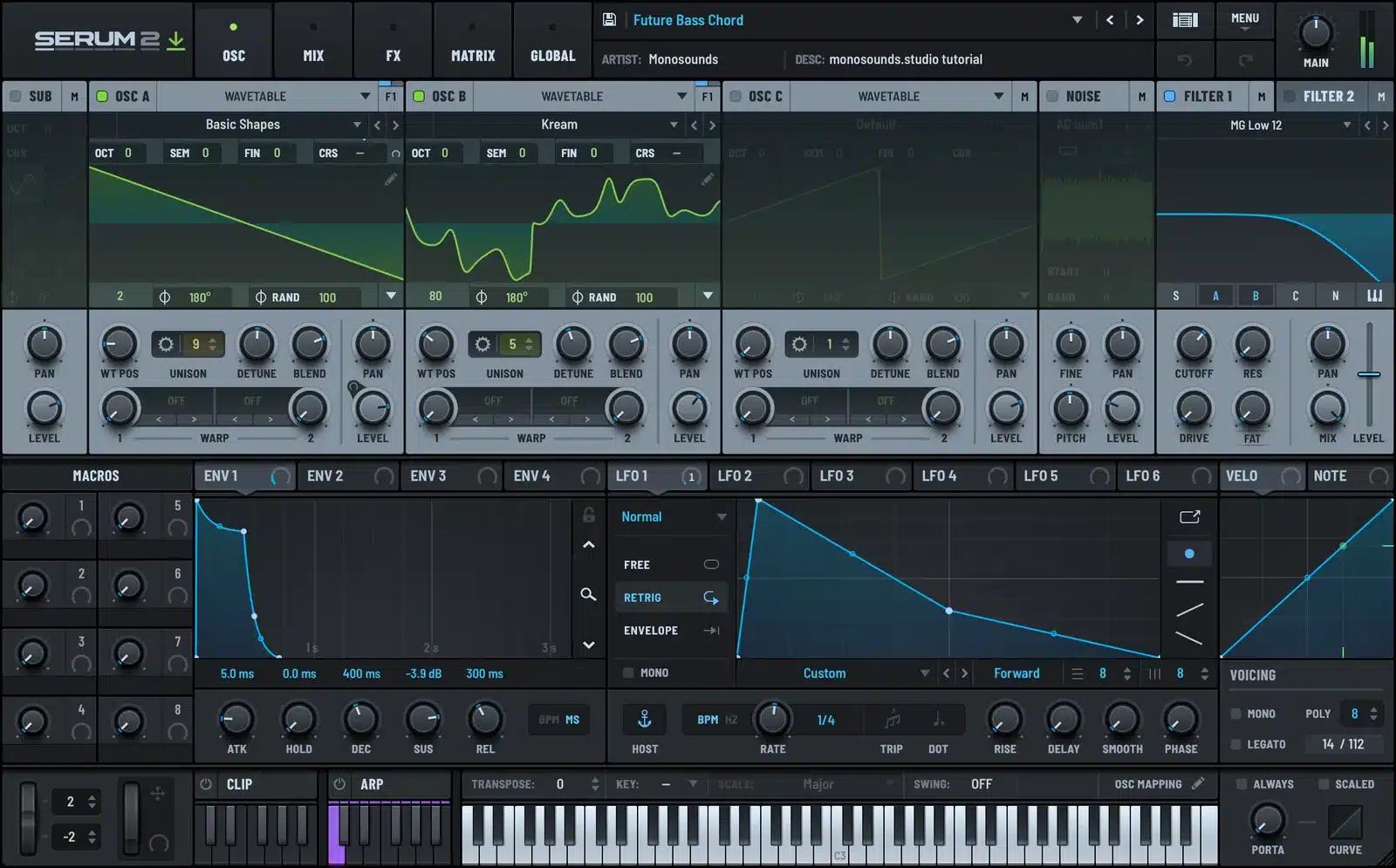
Instead of reverse-engineering patch by patch, begin from presets made for this style and adjust from there. From our catalog, these are the packs I’d send you to first:
- Serum 2 Future Bass Presets: 40 wide, drop-ready chords and leads, the nearest match to this style
- Harmonic Horizons: future bass tones on the softer, more atmospheric side
- Nextgen Vol.3: modern hybrid sounds leaning hip-hop, a good fit given OSHI’s background
- Serum 2 Skrillex inspired presets: for drops that need extra teeth
Three edits that push any chord preset in the OSHI direction:
- Pitch envelope on the attack. Route an envelope to coarse pitch, +12 semitones, decay near 60–100 ms, sustain at zero. That quick downward scoop supplies half the vocal-like character.
- OTT in moderation. 20–30% depth on the chord bus, never 100%. Run OTT at full depth and the groove gets ironed flat.
- Unison that isn’t a supersaw. 5–7 voices, detune 0.15–0.25. Wide, yet still clearly pitched rather than a wash.
First time with preset banks? Here’s how to install Serum 2 presets — about two minutes of work.
Drums and Groove
The half-time bounce is what future bass lives or dies on. OSHI-style tracks mostly run 140–160 BPM with the snare landing on beat 3, leaving enormous gaps for the chords to breathe in.
What his drums teach me when I listen close: snares built in layers (a tight acoustic crack over a clap over a short white-noise tail), percussion swung around 55–60%, and fills made of pitched toms and risers rather than crash spam. The hi-hats lift straight from trap: rolls, triplets, dips in velocity.
Two packs of ours that cover this territory:
- Drums Utopia Vol.1: has future bass loops at drop-ready tempos, with stems included so the snare can be swapped
- Evoque Drums & Melody Loops: softer, more organic drum tones suited to verses and intros
One field tip: leave the top percussion layer unquantized. Push shakers and foley hits a few ticks behind the grid. That gentle drag against a tight kick and snare is exactly where the head-nod lives.
Sound Design: Layering, Foley and Pitch Bends
OSHI mixes synthetic and organic sound far more aggressively than the average future bass producer. My 2026 approach:
- Three-layer chords. A mono sine or triangle sub, a mid layer holding the actual chord voicing, and a texture layer on top. With three oscillators, one Serum 2 instance now covers all three: park the texture on oscillator C and keep it low in the blend.
- Foley from your phone. Record kitchen noise, keys, paper, anything at all. Drag the recording into Serum 2’s granular engine and let an LFO scan through it slowly. What once demanded a separate granular plugin is now a single drag-and-drop; the workflow is written up in the Serum 2 granular tutorial.
- Talking leads. Mono mode, portamento near 80–120 ms, then automate a bend into the note rather than starting on pitch. Stack this with the pitch envelope trick above plus a formant-ish bandpass sweep.
- Vocal chops. Slice a phrase, tune the pieces to the chord scale, and glue everything with the same reverb the chords use. The complete method is in Serum 2 vocal chops.
- Movement everywhere. Slow LFOs on wavetable position, cutoff drifting 5–10%, a touch of auto-pan on the texture layer. Nothing screams stock preset faster than a static patch. The routing details live in the modulation guide.
Mixing and Mastering Chain
OSHI’s records hold up on phone speakers, and that’s by design. The low-mids are where most amateur future bass comes apart.
A chain that lands you close, with real numbers to start from:
- EQ: pull 2–4 dB somewhere inside 200–400 Hz on the chord bus. Stacked saws pile their mud up right there.
- Mono below 120 Hz. Wide bass feels huge on headphones and evaporates everywhere else.
- Parallel OTT on the master bus at 10–15% mix, never inserted at full depth.
- Gentle saturation (tape or tube) ahead of the limiter to round off transients.
- Limiter: ceiling at −1 dBTP, targeting about −8 to −9 LUFS integrated on a dense future bass drop. Go louder and the pump starts chewing through the groove.
Then A/B your track against a real OSHI record at matched loudness and study the low and low-mid balance. No preset chain beats reference checking.
FAQ: OSHI-Style Future Bass
What synth does OSHI use?
Serum is everywhere in this scene, and even the non-Serum patches carry Serum-sounding processing (OTT, chorus, pitch envelopes). The practical 2026 answer is Serum 2: identical workflow plus three oscillators and granular/spectral engines, with the upgrade free for anyone who owned Serum 1.
Do my old Serum 1 presets still work in Serum 2?
Yes. Serum 2 opens Serum 1 presets directly, meaning every pack linked in this article works as-is. You simply gain the extra engines and FX slots on top.
What BPM is future bass?
Mostly 140 to 160 BPM with a half-time feel, so the groove reads as 70–80. OSHI tends toward the slower, more hip-hop end of that window.
Where do I get free presets to practice with?
Take our Serum 2 free presets: 271 sounds spanning basses, leads, chords and keys. A good chunk suits future bass, and testing this article’s tricks on them costs nothing.
And that’s the full recipe: presets as your launchpad, half-time drums with genuine swing, foley layers, and a restrained master chain. Start from the free pack above, apply the pitch envelope move, and the OSHI flavor will start showing up in your own drops quickly.

I run Monosounds.studio and make the packs myself. Ten-plus years of producing, 97+ releases, 16,000+ downloads. Every Serum 2 preset we ship passes a CPU check on a mid-range laptop and gets used in a real track before release. If it does not survive a mix, it does not go in the pack.
More about Maxim & the studio →Looking for the packs themselves? Here is the full Serum 2 preset catalogue — sorted by genre and by sound, with a demo on every one.


