The short answer: already own Serum 1? Then yes. Existing owners get Serum 2 as a free update, so all it costs you is a download and an hour of exploring. For most people that ends the debate right there.
Starting from nothing and weighing an actual purchase is a different conversation, and the answer depends on the music you make. Building Serum presets is literally my job, so my bias is obvious. Still, I’ll be honest about who shouldn’t buy it.
What changed from Serum 1
Serum 1 was one thing: a wavetable synth. Serum 2 behaves more like four synths running on a shared engine: wavetable, granular, spectral, and sample oscillators.
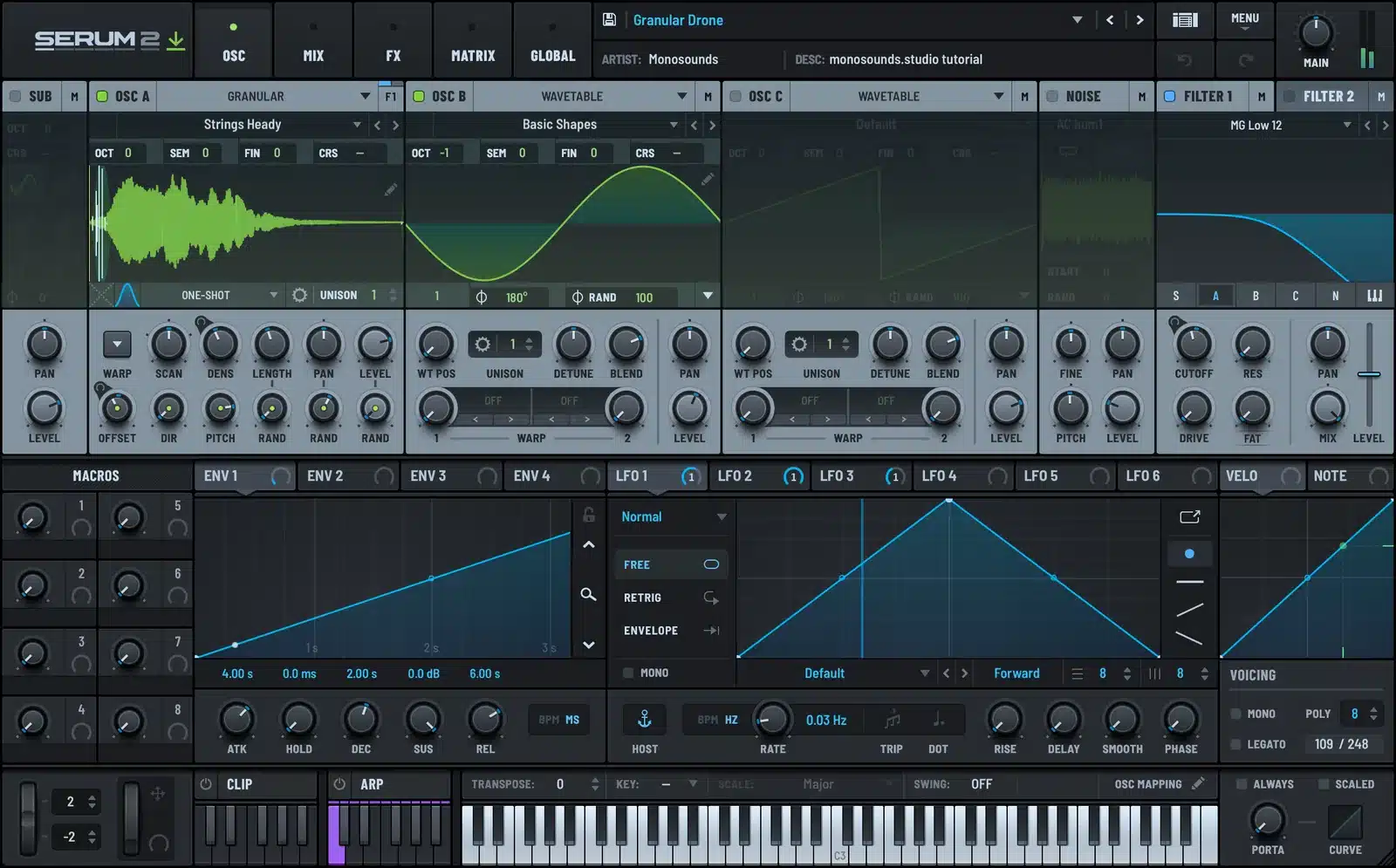
The granular engine chops audio into tiny grains and reassembles them; that’s the source of most of today’s evolving pads and texture presets. Spectral manipulates the frequency content itself. And the sample oscillator takes any audio you load and treats it as an oscillator, with the entire mod matrix available on top of it.
Then there’s the CLIP tab: MIDI clip banks, 12 slots each, playing patterns through whatever preset is currently loaded. I lean on it constantly to hear sounds in musical context rather than holding a chord and hoping. For the full detail, I did a proper side-by-side in Serum 1 vs Serum 2.
The real reason to pick Serum over anything else
Truthfully, the feature list isn’t it. The ecosystem is. No other synth I can think of has this many third-party presets, wavetables, courses, and answered forum threads. Get stuck at 2am and somebody has already recorded a video solving your exact problem.
Sounds unglamorous, but it determines your learning speed. A synth you actually understand wins against a synth with a longer spec sheet, every single time.
This is what that ecosystem sounds like in the real world, a house demo running on one of our preset packs:
Who should buy it
- Anyone producing bass music, house, EDM, or pop who wants to get serious about sound design. Those scenes run on Serum by default, and there’s a reason for that.
- Tutorial learners. Almost every current sound design video is made in Serum, which means you can follow along click for click.
- Preset users. Nothing wrong with that; most working producers start from presets rather than init, and no synth has a bigger preset market.
Want to try the workflow before any money changes hands? Download our free Serum 2 presets and dissect them. One evening spent twisting someone else’s macros teaches more than a week of watching videos.
Who can skip it
Being equally honest: Vital is out there, and its base version costs nothing. It does wavetable synthesis well, and if your budget is tight, room treatment is a better spend than any synth. My comparison of the two is in Serum 2 vs Vital.
You can also skip it if your work is mostly recorded instruments and a soft synth comes out twice a year. Same if you’re already fluent in a different synth, since the switch costs time, and time is worth more than the license. It pains me slightly to tell people to stay on a synth I think is clunkier, but rebuilding muscle memory in the middle of projects is the worse deal.
Ways to pay less
- Have Serum 1? The update costs nothing. Sign into your Xfer Records account, download Serum 2, finished.
- There’s rent-to-own. Small monthly payments applied toward the full license, pausable whenever. Useful if you want in now without paying the lump sum.
- Hold off until a real need shows up. A synth purchase produces zero tracks. Needing a specific sound and knowing this synth contains it, that produces tracks.
One pricing observation from my side of the counter: buying preset packs individually gets expensive quickly. If that becomes your path, the Serum 2 preset bundles come out cheaper per preset. Simple arithmetic, not a sales pitch.
FAQ
Is Serum 2 a free update?
Yes. Serum 1 owners pay nothing for Serum 2; it’s a download in your Xfer Records account.
Is Serum 2 good for beginners?
Yes, and mainly because of the learning material around it. There’s plenty of depth in the synth, but the volume of tutorials makes it one of the easiest to genuinely learn.
Does Serum 2 run on Apple Silicon?
Natively, yes. It comes as VST3 and AU, so every major DAW on Mac and Windows is covered.
Should I buy Serum 2 or just use Vital?
If the decision comes down to money, go Vital. If what you want is the largest preset and tutorial ecosystem, Serum 2 earns its price.
After a year of building packs inside it, here’s where I land: for anyone serious about electronic music, Serum 2 is worth it. Old owners get it free, which made the choice automatic for them, and the ecosystem makes it the low-risk pick for newcomers. Just don’t imagine the purchase finishes tracks by itself. Worth noting the ecosystem argument works in both directions — everything I make for Serum 2 exists precisely because this synth became the standard.

I run Monosounds.studio and make the packs myself. Ten-plus years of producing, 97+ releases, 16,000+ downloads. Every Serum 2 preset we ship passes a CPU check on a mid-range laptop and gets used in a real track before release. If it does not survive a mix, it does not go in the pack.
More about Maxim & the studio →

